Mastering Pinterest Traffic: A Comprehensive Guide to Hiding Images for Better SEO and User Experience
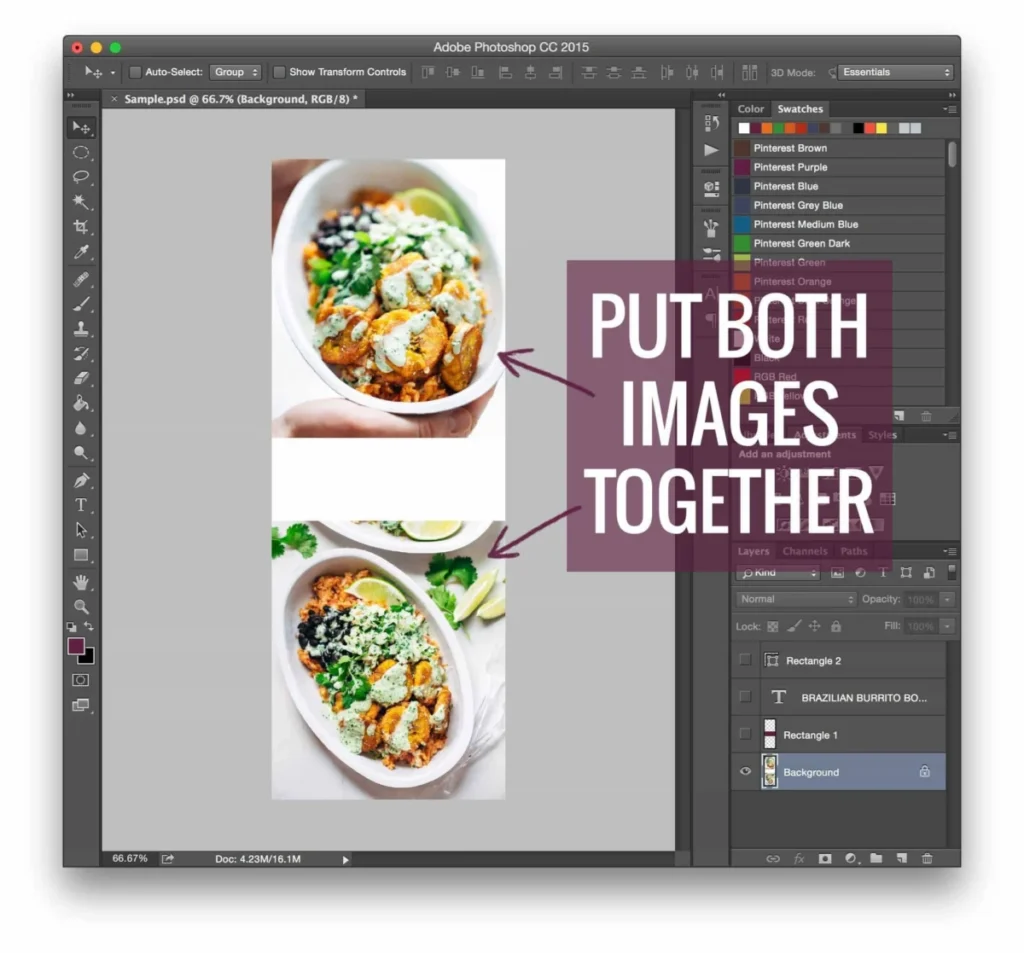
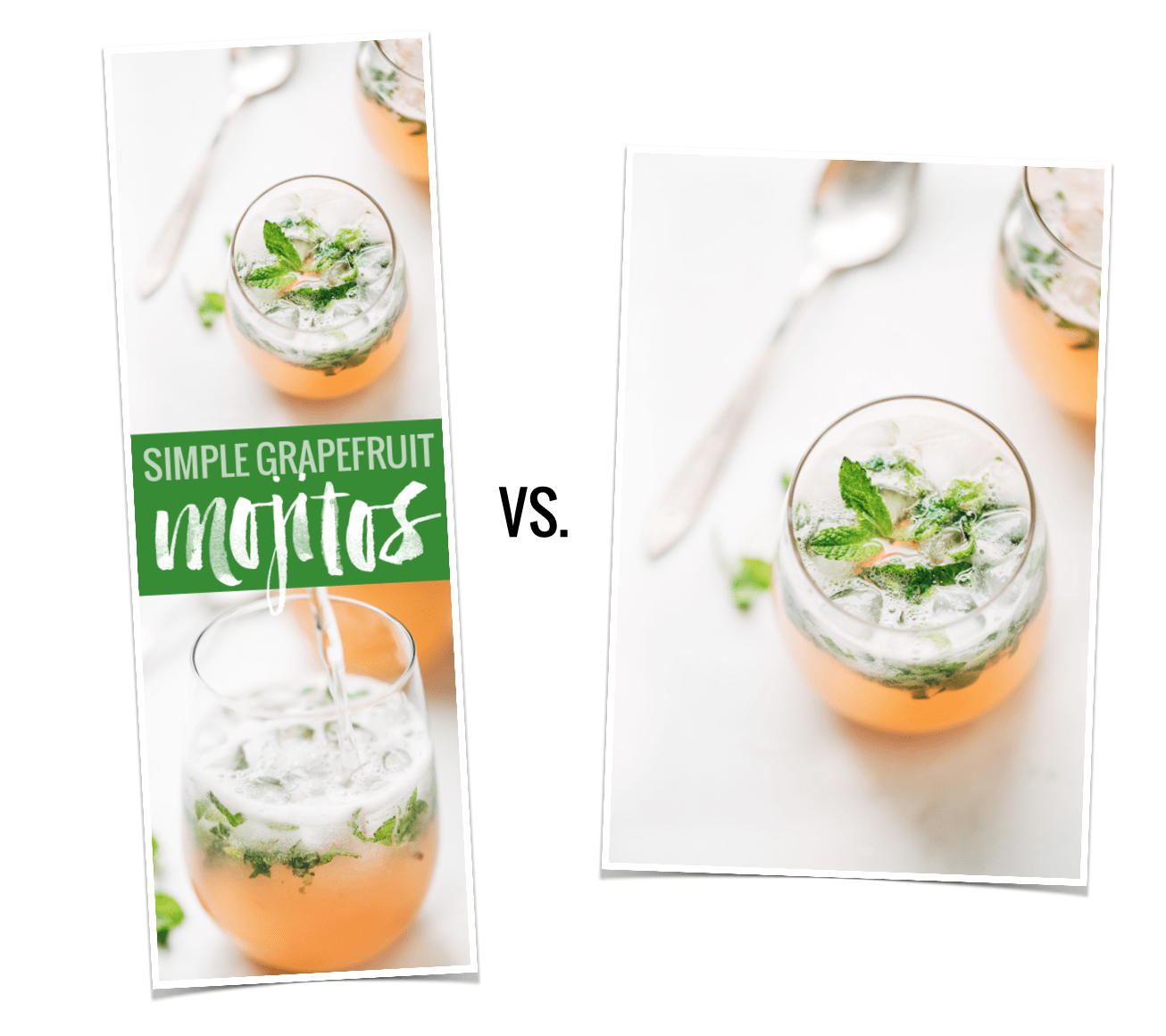
In the evolving landscape of digital content creation, the visual presentation of blog posts has become as critical as the written word. For food bloggers and lifestyle creators, Pinterest has long served as a primary traffic driver. A pivotal discovery made in April 2015—revealing that long-form, vertical images generated 70% more repins than their shorter counterparts—sparked a significant shift in how content creators optimize their websites.
However, this data presented a design dilemma: how to leverage high-converting, vertical Pinterest images without compromising the aesthetic integrity of a carefully curated blog post. This article explores the strategic necessity of "hiding" images, the evolution of technical solutions, and the broader implications for site performance and user engagement.

Main Facts: The Power of Verticality
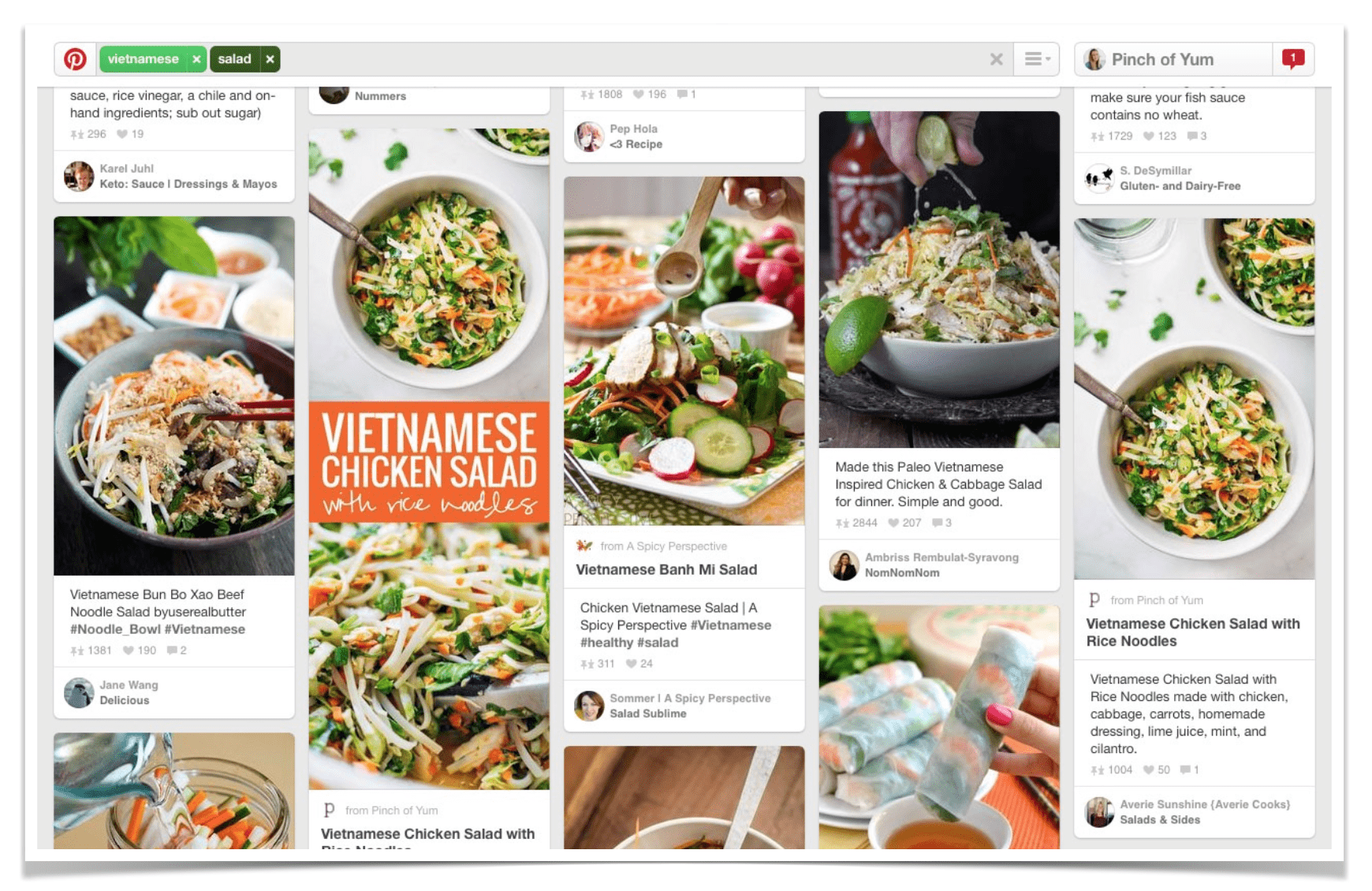
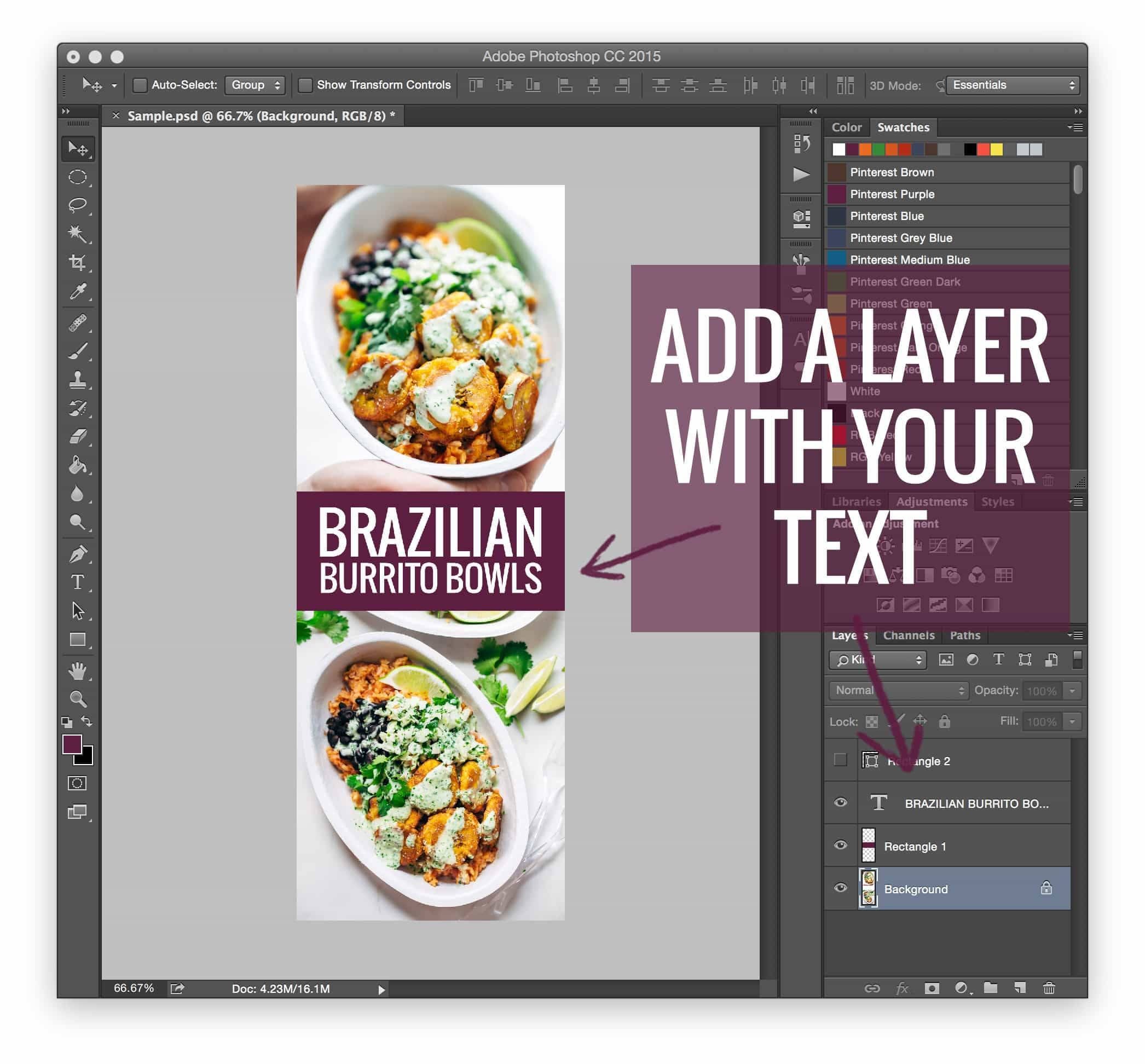
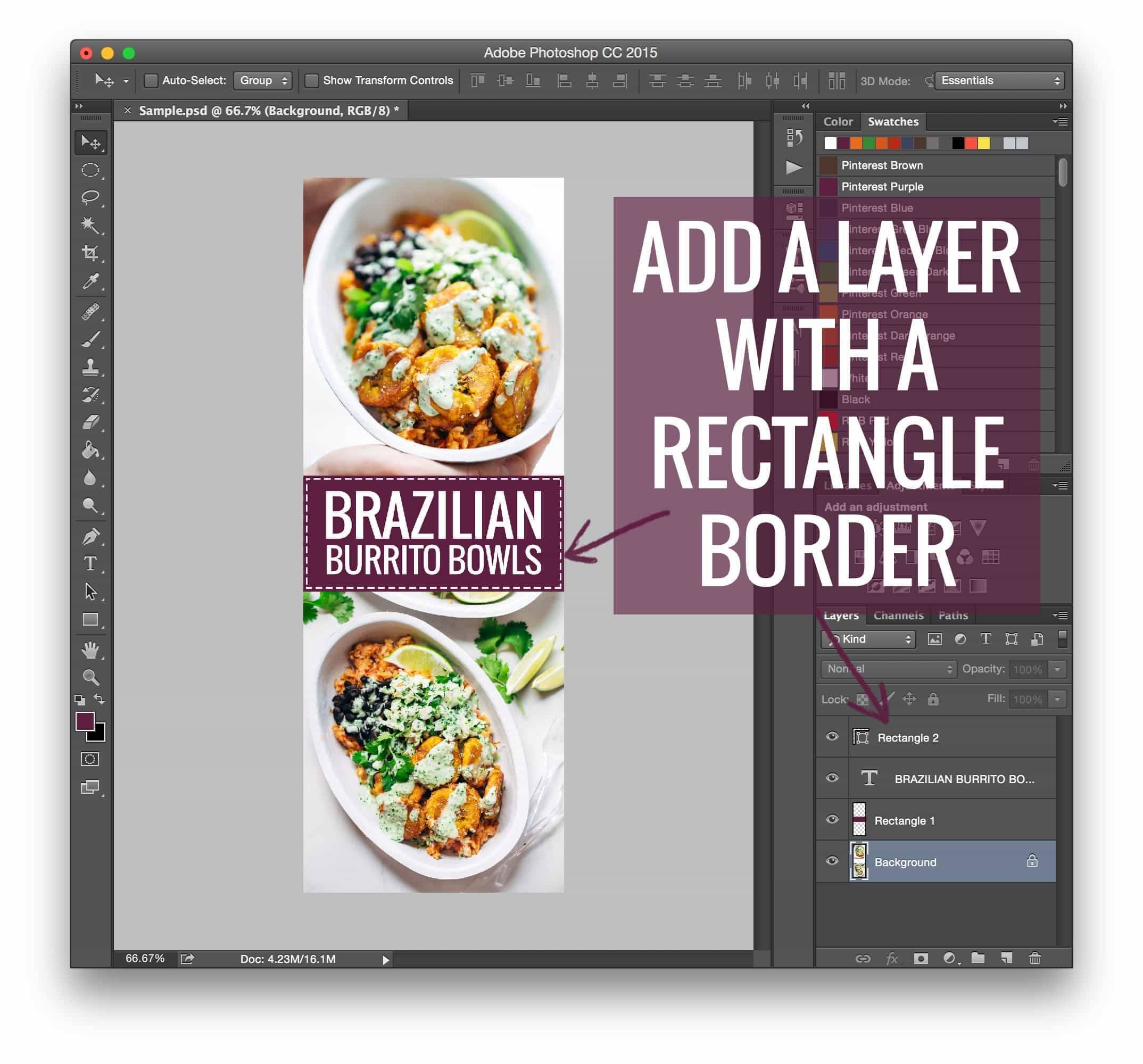
The core premise is simple: Pinterest is a vertical-first platform. Algorithms favor images that occupy more screen real estate, particularly on mobile devices. When users scroll through their feeds, long, text-rich vertical graphics—often featuring clear, bold typography and high-quality photography—naturally attract more attention.
For many bloggers, the challenge lies in the "flow." A standard blog post typically features high-quality, landscape-oriented photographs. Inserting a massive, text-heavy vertical graphic into the middle of a recipe or travel narrative can disrupt the reader’s experience, making the page feel cluttered or overly promotional. Consequently, the ability to "hide" these images—making them available to the Pinterest browser while keeping them invisible to the blog reader—has become a standard industry practice.
Chronology: The Evolution of Image Optimization
The journey toward professional image management has moved from manual, code-heavy solutions to seamless, automated plugins.
- Pre-2015: Bloggers relied heavily on simple, square, or landscape images. Pinterest traffic was secondary to organic search.
- April 2015: The "Pinterest Study" provided empirical data showing the 70% repin advantage for vertical images. This triggered a frantic search for solutions to manage these new, non-traditional aspect ratios.
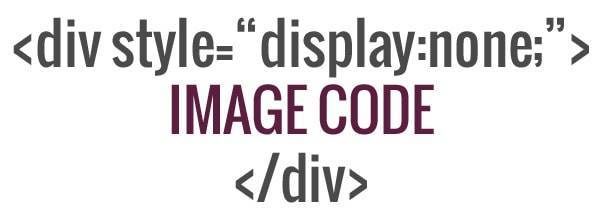
- The Manual Coding Era: Early adopters turned to custom CSS and HTML. By using specific code snippets (such as
display: noneor negative positioning), creators could embed an image in their WordPress editor that would not render on the front end of the site but would still be "scraped" by the Pinterest browser extension. - The Plugin Revolution: Recognizing the frustration of manual coding, developers introduced specialized tools. Plugins like Tasty Pins emerged to solve this issue systematically, allowing creators to designate specific images for Pinterest without the risk of breaking site layouts.
Supporting Data and Technical Implementation
Why do these images continue to dominate? Data consistently suggests that users interact more with images that provide "context" at a glance. A vertical image with a clear title overlay acts as a billboard for the content.
The Shift to Automated Solutions
While manual coding (using display: none or similar CSS hacks) was the standard for years, it carried risks. Incompatible themes, browser updates, and mobile responsiveness issues often caused these hidden images to create "white space" or layout glitches.
The industry standard has shifted toward dedicated plugins. These tools allow a creator to:
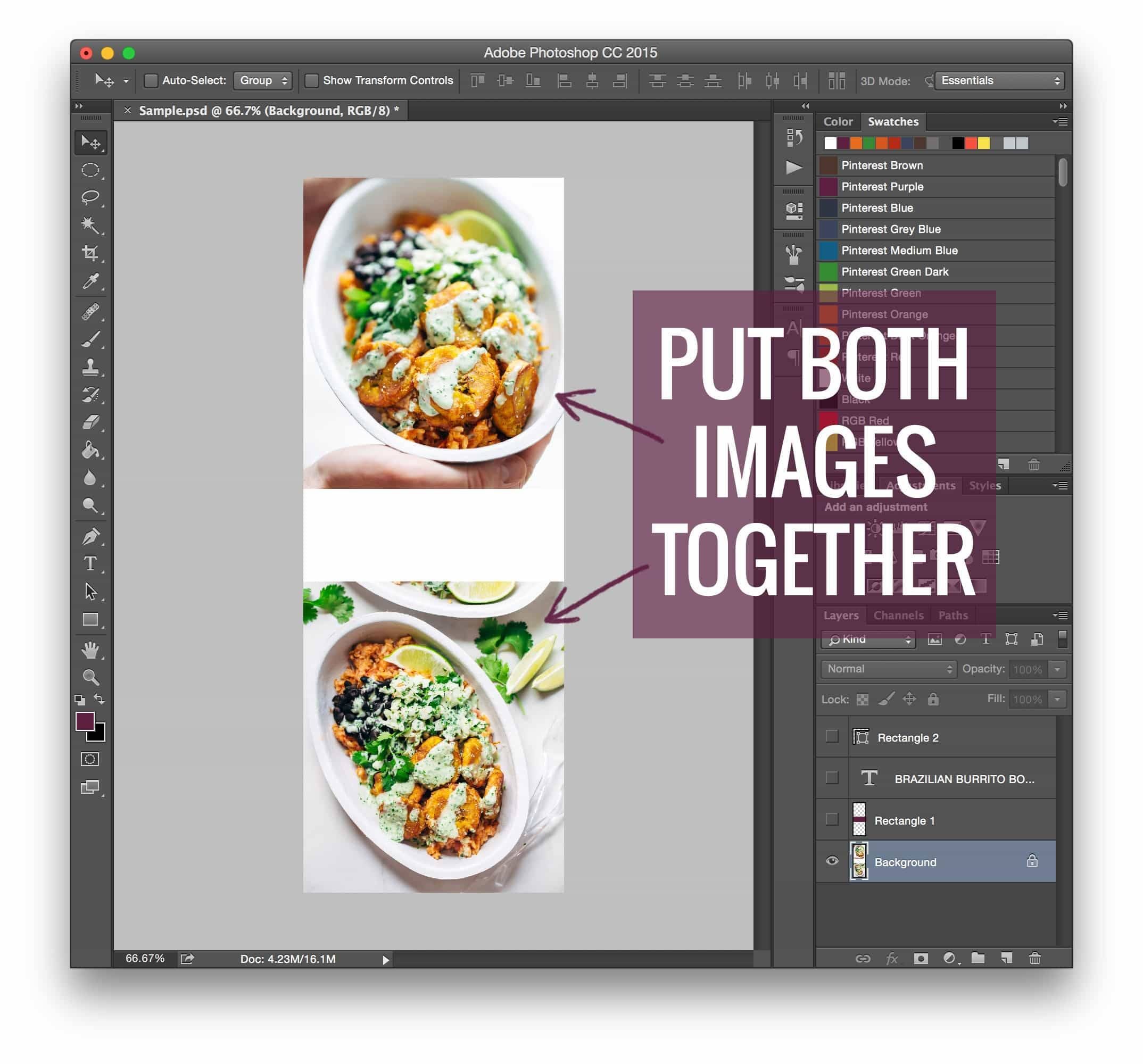
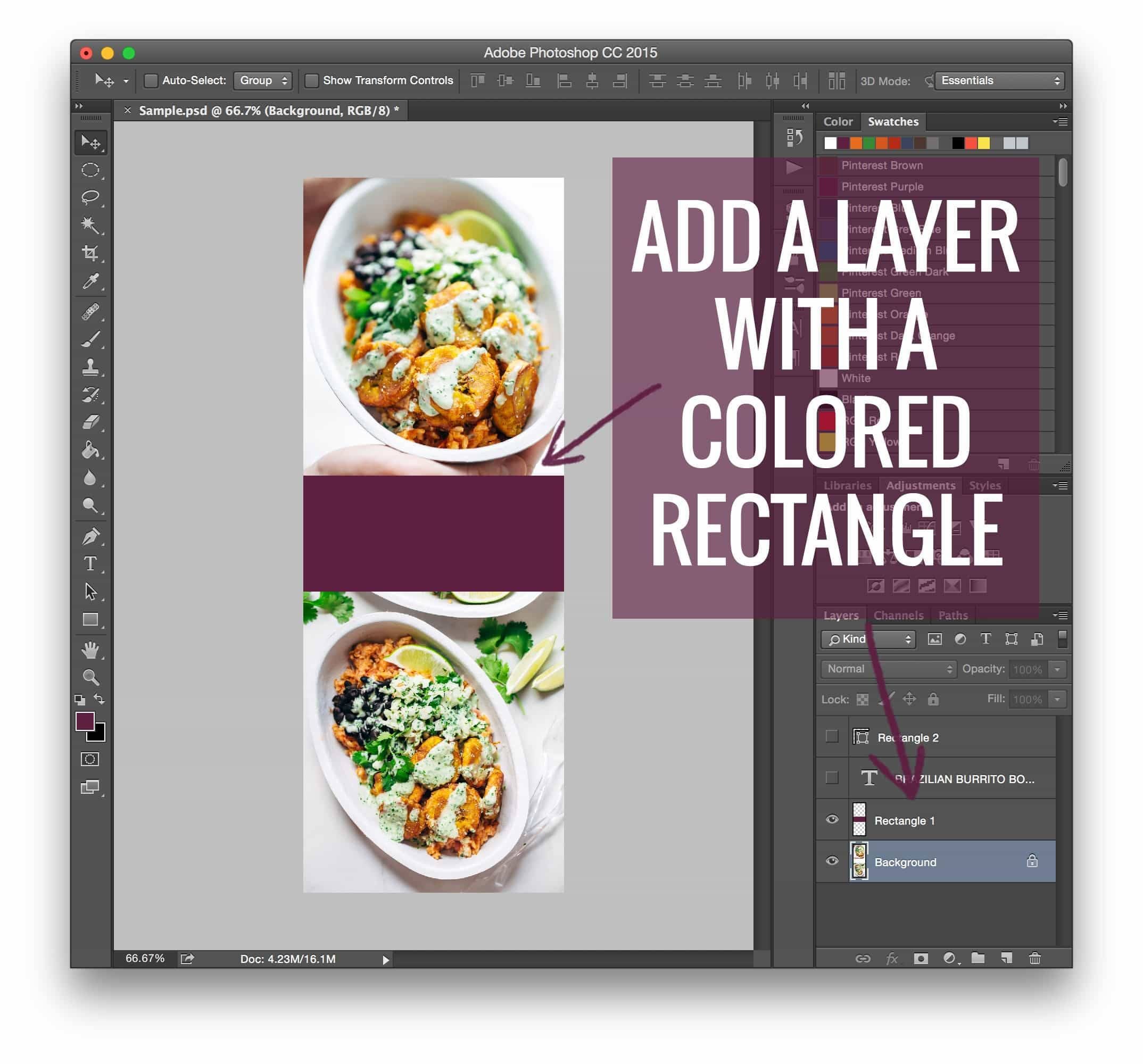
- Set a Pinterest-specific image: The user can upload a high-resolution, vertical pin while keeping a standard photo as the primary post image.
- Force Pinning: When a user clicks the "Pin" button, the plugin forces the specific, optimized vertical image to be selected, regardless of what other images are on the page.
- Metadata Management: These plugins allow for the inclusion of SEO-friendly Pin descriptions, ensuring that when the image is shared, it carries optimized keywords directly into the Pinterest ecosystem.
Professional Perspectives and Industry Standards
Leading creators and digital agencies emphasize that the goal is not to "trick" the user, but to respect their experience.
"We moved away from manual code because, as our site traffic scaled, the maintenance became a liability," noted a representative from a prominent digital media firm. "Automation isn’t just about convenience; it’s about reliability. You want your Pinterest image to be high-performing, but you never want it to interfere with the reader’s ability to follow a recipe or read a tutorial."
Industry experts also point out that Pinterest’s algorithm is increasingly sophisticated. It now prioritizes "fresh pins" and high-quality metadata over mere aspect ratios. Thus, while the "hidden image" strategy is a foundational tactic, it must be paired with high-quality, original content.
Implications for Bloggers and Content Creators
The practice of hiding images has profound implications for three main areas:
1. User Experience (UX)
The primary goal of any blog is to keep the reader engaged. If a reader is forced to scroll past a massive, unrelated graphic just to reach the first paragraph of text, they are likely to bounce. By hiding the Pinterest image, the blogger maintains a clean, professional aesthetic that mimics a magazine layout, while still catering to the "Pinning" crowd.
2. Search Engine Optimization (SEO)
While Google and Pinterest operate on different algorithms, site speed and mobile-friendliness are universal metrics. Improperly hidden images—if not handled by a modern plugin—can sometimes contribute to "layout shift," a metric that Google’s Core Web Vitals monitors. Ensuring that these hidden images are optimized and properly coded is essential for maintaining page speed and search rankings.
3. Monetization Potential
For many, Pinterest is the top of the funnel. A well-designed, hidden pin leads to a click, which leads to page views, which leads to ad revenue or product sales. The "16 Ways to Monetize Your Food Blog" strategy, for instance, highlights that traffic is only as valuable as the conversion path. By making it easier for users to share beautiful content, creators are effectively building a passive, evergreen traffic stream.
Conclusion: The Future of Pinning
The "hidden image" technique remains one of the most effective, albeit behind-the-scenes, tactics in a blogger’s arsenal. While the methods have transitioned from manual HTML/CSS to robust plugins, the fundamental logic remains unchanged: optimize for the platform’s requirements while protecting the reader’s experience.
As we look toward the future, the integration of AI-assisted image creation and more sophisticated metadata management tools will likely further refine this process. For now, the takeaway is clear: do not compromise your blog’s aesthetic for the sake of social traffic. Instead, use the tools available to ensure that your content is perfectly tailored for every environment—whether it is being read in a clean, professional blog post or discovered in a crowded, competitive Pinterest feed.
By staying informed about these technical shifts and focusing on the user, content creators can continue to thrive in an increasingly visual and competitive digital economy.