Mastering Pinterest Strategy: How to Optimize and Hide Long-Form Imagery for WordPress
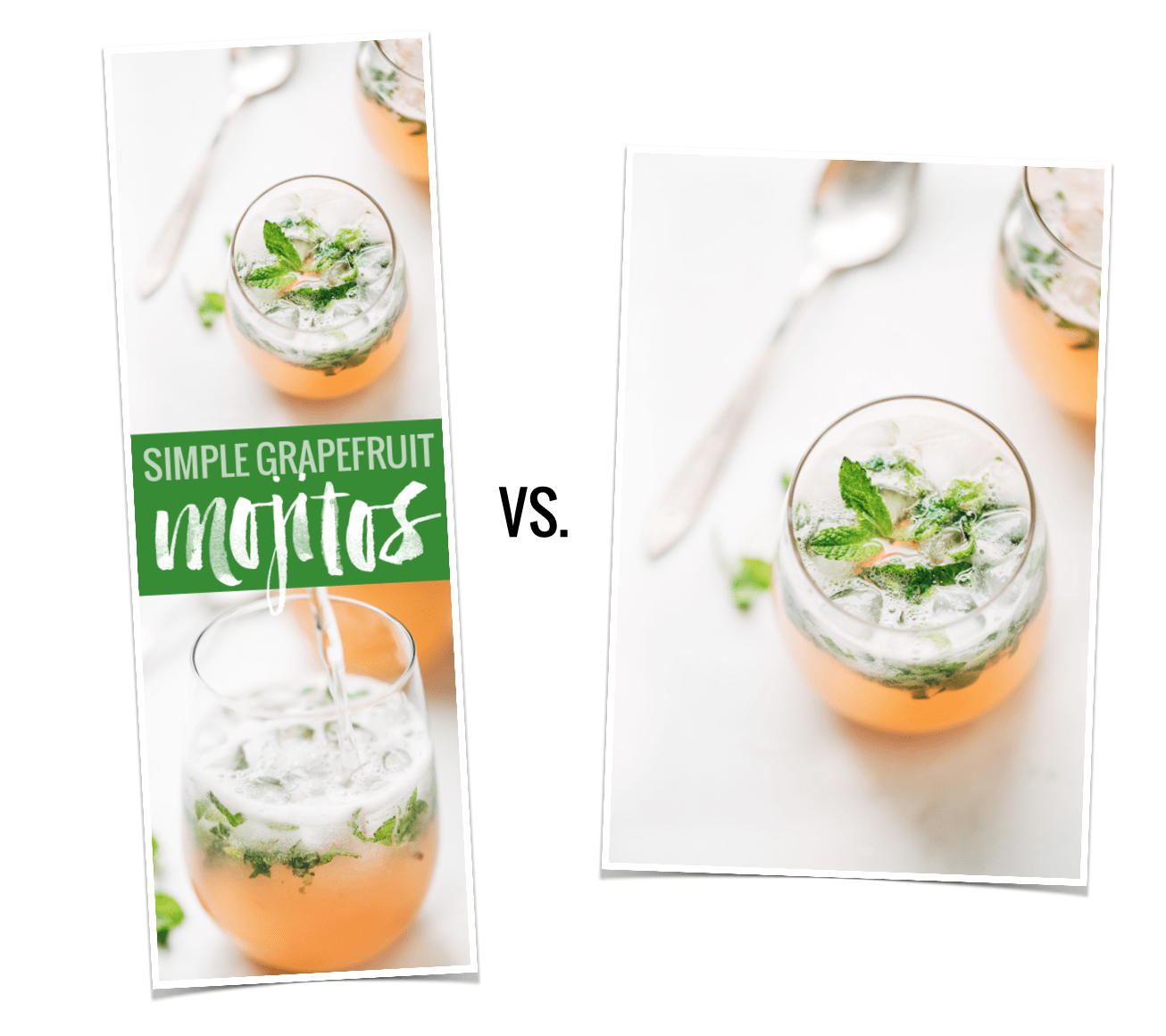
In the digital marketing landscape of the mid-2010s, a quiet revolution took place within the blogging community—specifically among food and lifestyle creators. Data revealed a startling correlation: vertical, long-form images were consistently outperforming standard, landscape-oriented photographs on Pinterest by a margin of 70% in terms of repins. This discovery forced content creators to reconcile the aesthetic flow of their websites with the technical demands of social media algorithms. The result was the birth of the "hidden image" strategy, a technical workaround that allows bloggers to maintain the visual integrity of their posts while providing high-performing content for Pinterest users.
The Data-Driven Catalyst
The shift toward tall, vertical imagery was not merely a trend; it was a response to the platform’s interface. Pinterest’s layout naturally favors vertical content, allowing it to occupy more "real estate" on a user’s feed. In April 2015, a landmark traffic and income report by Pinch of Yum quantified this trend, demonstrating that long-form images were not just visually prominent—they were significantly more effective at driving engagement and traffic.

For many bloggers, this presented a branding dilemma. A clean, minimalist blog post featuring high-quality, landscape-oriented culinary photography looks professional and cohesive. Inserting a long, text-heavy, "pinnable" image—often featuring bold titles and graphic design elements—can disrupt the user experience and clash with the site’s curated aesthetic. Consequently, the demand for a technical solution to "hide" these images while keeping them accessible to the Pinterest "Pin It" browser extensions became a top priority for digital creators.
The Evolution of the "Hidden Image" Technique
The chronology of this technique tracks the rapid maturation of the WordPress ecosystem. Initially, the process required manual intervention through custom coding. Bloggers would upload their tall images to the WordPress media library and embed them using specific HTML or CSS parameters that rendered the images invisible to site visitors (using display: none or negative margins) while leaving them discoverable to the Pinterest crawler.
Manual Coding vs. Automated Solutions
Early adopters of this strategy spent countless hours editing individual post files. The manual method typically involved:
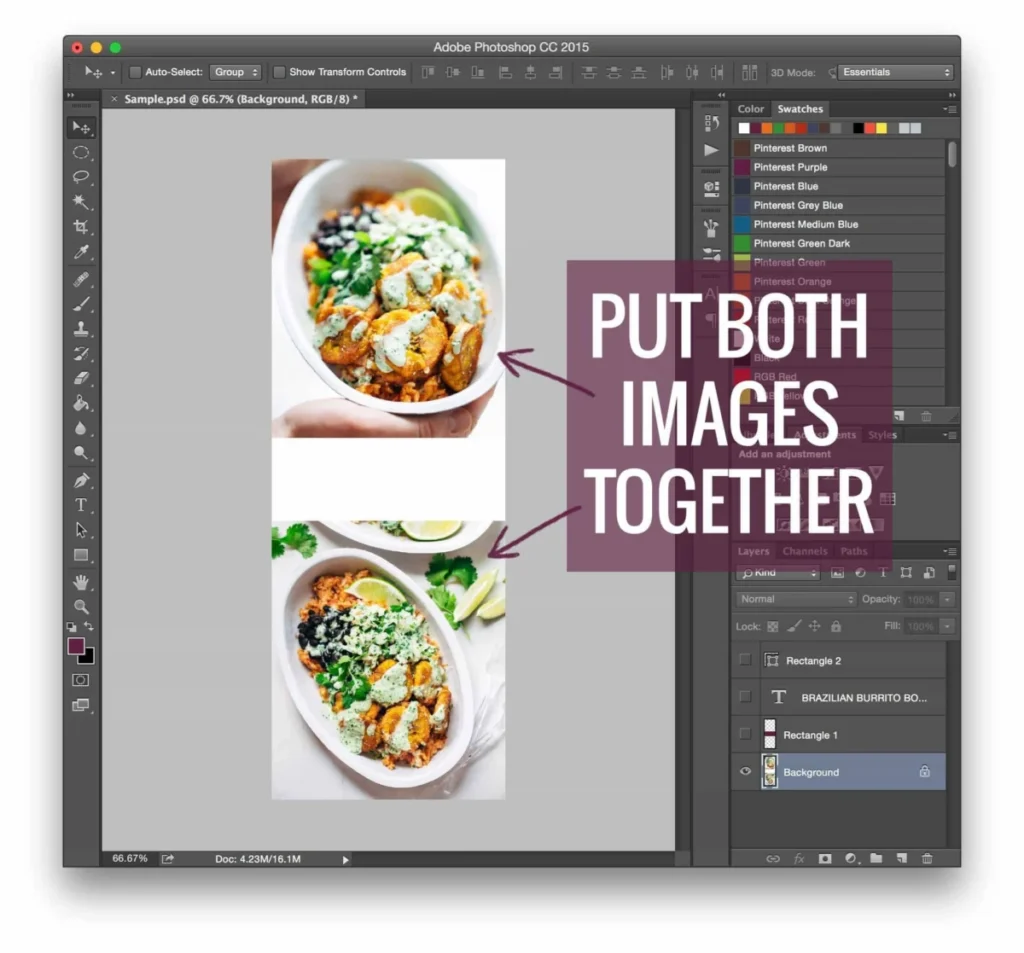
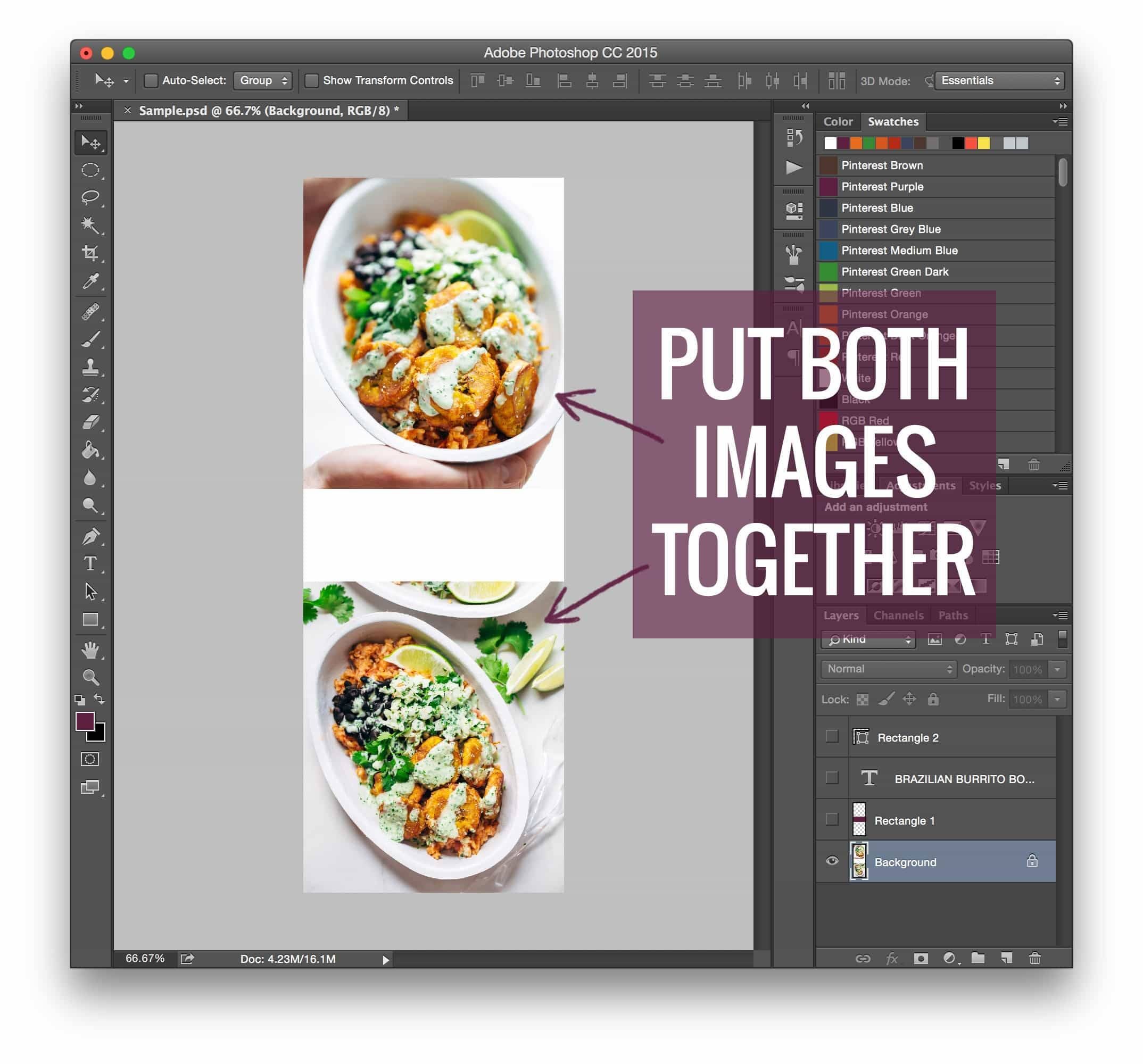
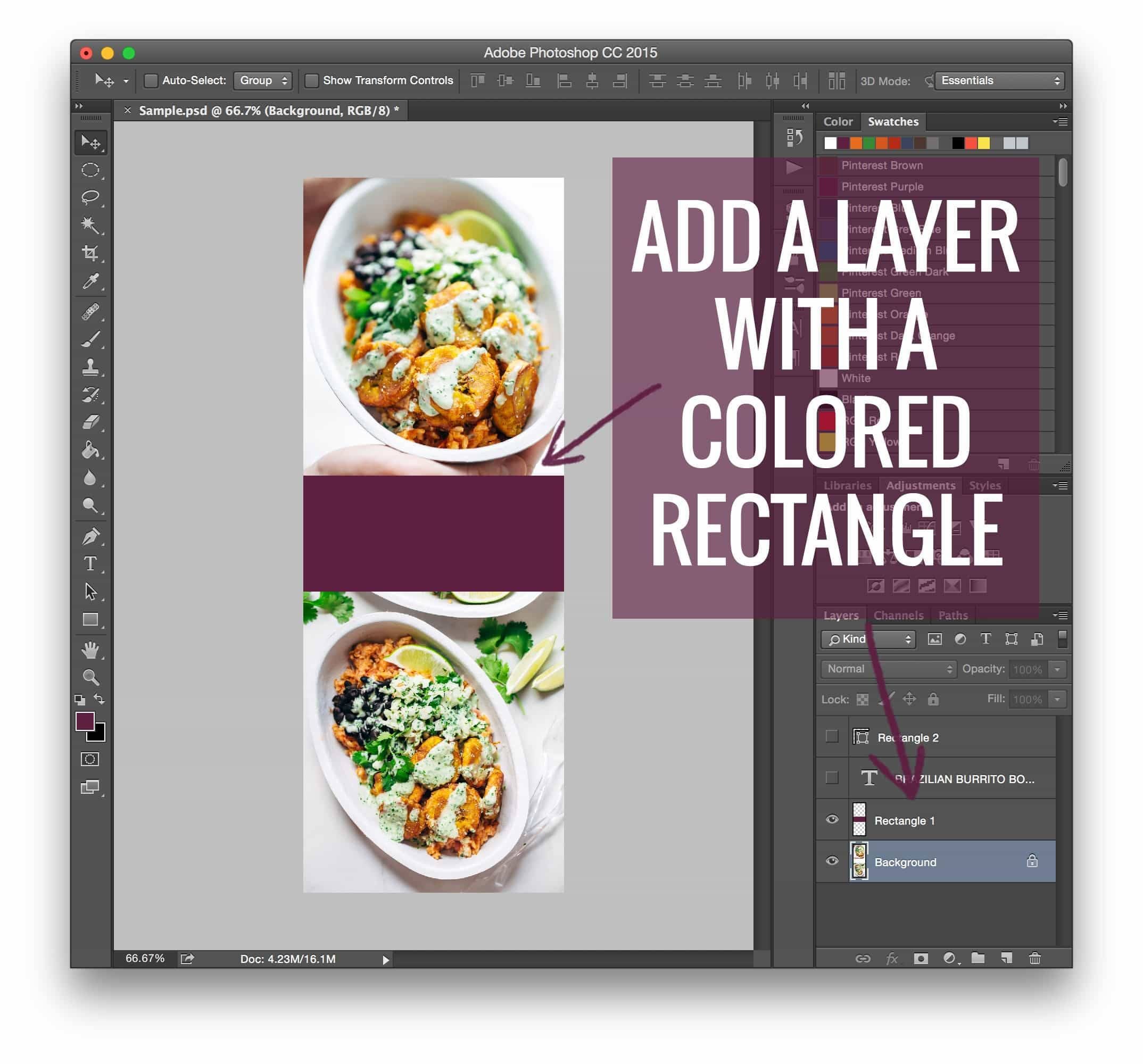
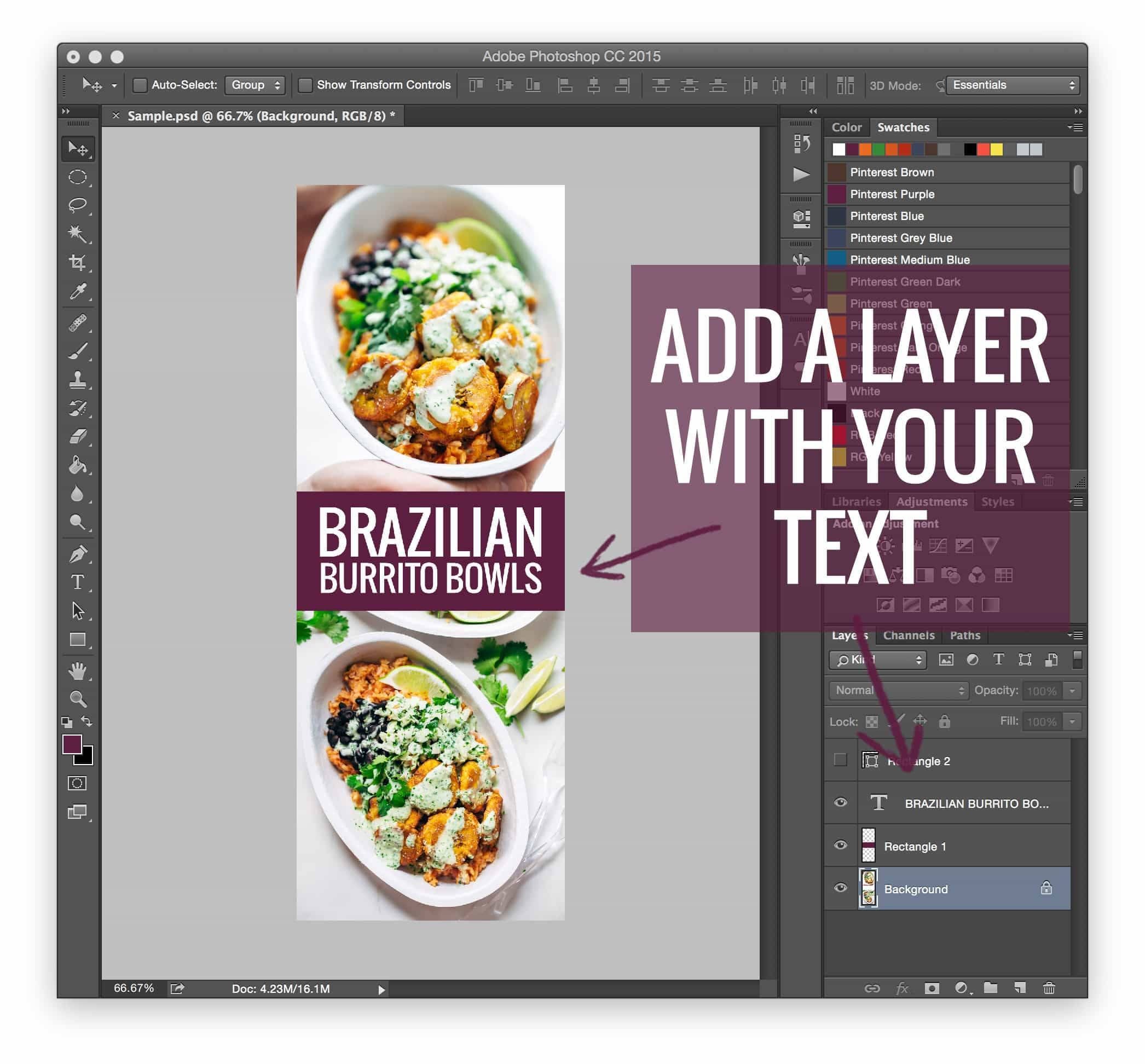
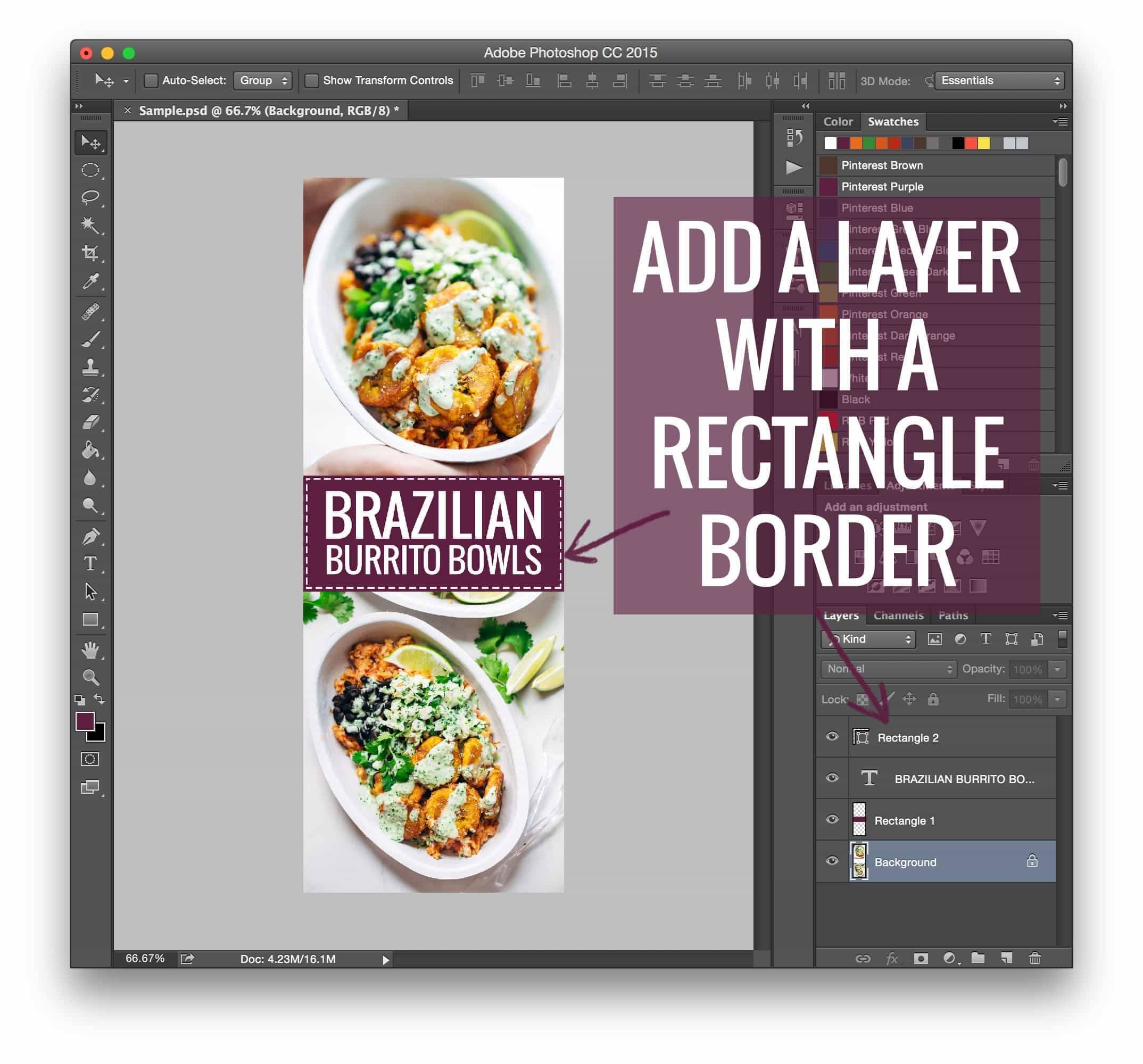
- Creation: Designing the vertical graphic in Adobe Photoshop or similar software.
- Upload: Adding the image to the WordPress post editor.
- Hiding: Applying CSS styling to ensure the image was technically present on the page but visually obscured from the reader.
However, as the scale of content production grew, the industry shifted away from manual coding. The emergence of specialized plugins—such as Tasty Pins—marked a turning point. These tools automated the process, allowing creators to designate specific images for Pinterest without requiring a degree in web development. This evolution highlights a broader trend in digital publishing: the transition from "hacker-style" workarounds to streamlined, user-friendly SaaS (Software as a Service) solutions.
Supporting Data: Why Vertical Images Prevail
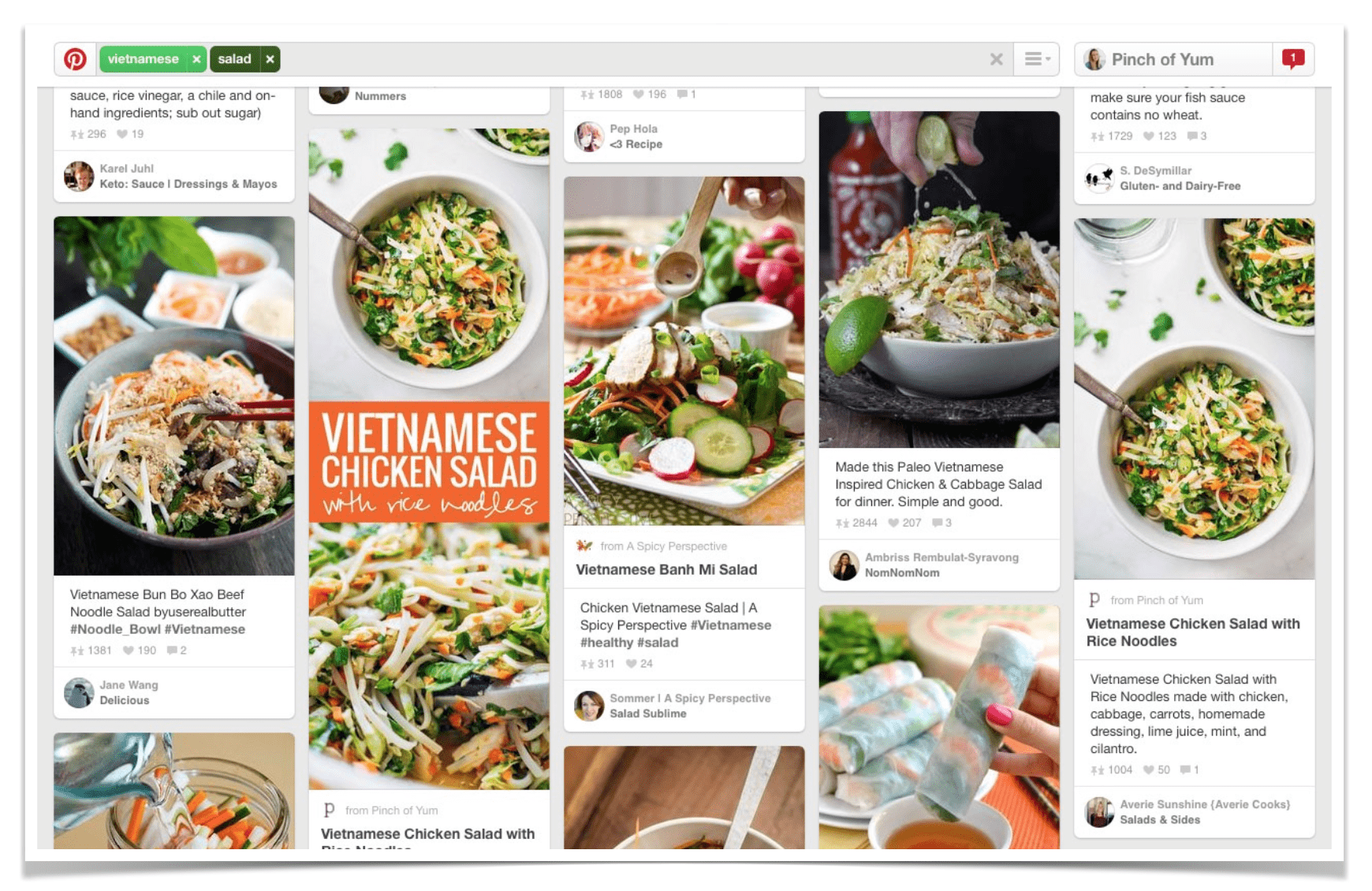
The 70% increase in repins for long images is not an anomaly. It is rooted in visual hierarchy and user psychology. Vertical images allow for:
- Text Overlay: Providing context or a "hook" that entices the user to click.
- Extended Visibility: On mobile devices, which account for the vast majority of Pinterest traffic, vertical images occupy the entire screen, reducing distractions from surrounding content.
- Branding Consistency: A unified design style for Pinterest images helps users recognize content from a specific creator instantly as they scroll through their feed.
Despite these advantages, the strategic deployment of these images requires balance. Excessive use of long pins can bloat page load times if not properly compressed, potentially impacting SEO. Developers and creators must ensure that while the image is "hidden," it remains optimized for web performance to avoid negative impacts on site speed.
Professional Perspectives on Visual Strategy
Experts in the food and lifestyle blogging sector emphasize that while the "hidden image" hack is a powerful tool, it should not replace high-quality photography. The goal is to facilitate discovery on social platforms without compromising the blog’s primary function as a content hub.
"The long image is a bridge between your blog and the social platform," says one digital strategy consultant. "It is an advertisement for your content, not the content itself. By hiding it, you allow the blog to be a clean, immersive experience, while the Pinterest user gets exactly what they need—a clear, actionable, and attractive graphic."
Furthermore, the integration of "Pin It" buttons at the top or bottom of posts, rather than just on individual images, has become standard practice. This gives the reader agency, allowing them to choose which image they wish to share, thereby increasing the likelihood of high-quality, user-generated distribution.
Implications for Content Creators
The move toward automated tools like Tasty Pins has significant implications for the future of blogging:
- Lower Barrier to Entry: Creators no longer need to know HTML or CSS to compete on social platforms. This democratizes the ability to grow an audience.
- Focus on Content Quality: With technical hurdles removed, creators can focus more on the design of the pins themselves and the quality of the written content.
- Increased Focus on Monetization: As seen in various industry-standard guides like 16 Ways to Monetize Your Food Blog, professionalization is key. The ability to drive traffic efficiently from Pinterest is directly linked to a creator’s ability to generate ad revenue and affiliate income.
Conclusion
The "hidden image" phenomenon is a prime example of how digital creators adapt to the ever-changing requirements of social media platforms. By balancing the technical necessity of vertical imagery with the aesthetic requirements of a professional website, bloggers have created a system that maximizes reach without sacrificing brand identity.
As we look toward the future, the reliance on manual code will likely continue to fade, replaced by even more sophisticated, AI-driven tools that can automatically optimize images for specific social platforms based on current trends. However, the core principle remains unchanged: successful digital growth requires a deep understanding of how users interact with content across different mediums. Whether through a simple line of CSS or a robust WordPress plugin, the ability to tailor content to the platform is the hallmark of a modern, successful digital creator.
For those looking to refine their approach, the consensus remains clear: start with the data, prioritize the user experience, and leverage the tools available to ensure that your work is not just created, but discovered.