The Evolution of Pinterest SEO: How to Strategically Use Hidden Images in WordPress
In the digital landscape of content creation, visual appeal is often synonymous with discoverability. For bloggers, particularly those in the food, lifestyle, and DIY niches, Pinterest has long served as a primary traffic driver. A pivotal realization in mid-2015 changed the way content creators approached their WordPress workflows: the discovery that long-form, vertical images—specifically designed for Pinterest—outperformed standard, shorter images by a staggering 70% in terms of repins. This finding ignited a widespread shift in blogging best practices, forcing creators to reconcile the need for high-performing Pinterest assets with the desire to maintain a clean, aesthetic, and user-friendly blog layout.
Main Facts: The "Long Image" Phenomenon
The core of this strategy revolves around the discrepancy between what looks good in a blog post and what performs well on social platforms. Standard blog photography is often landscape-oriented, fitting seamlessly into the width of a content column. However, Pinterest’s algorithm and user interface favor verticality. Tall, text-heavy images command more screen real estate on mobile devices and tablet feeds, leading to higher engagement metrics.

The primary conflict for many creators is the "visual flow" of their website. An image featuring bold text, collage elements, and vertical dimensions can feel jarring when placed in the middle of a recipe card or a personal narrative. Consequently, the practice of "hiding" these images within the HTML of a WordPress post emerged as the industry standard. By hiding these images, bloggers could ensure that the assets remained available for the Pinterest browser extension (the "Pin It" button) while keeping their site’s primary design clean and uncluttered.
Chronology: From Custom Code to Automated Solutions
The journey to optimizing Pinterest traffic has evolved through three distinct phases:
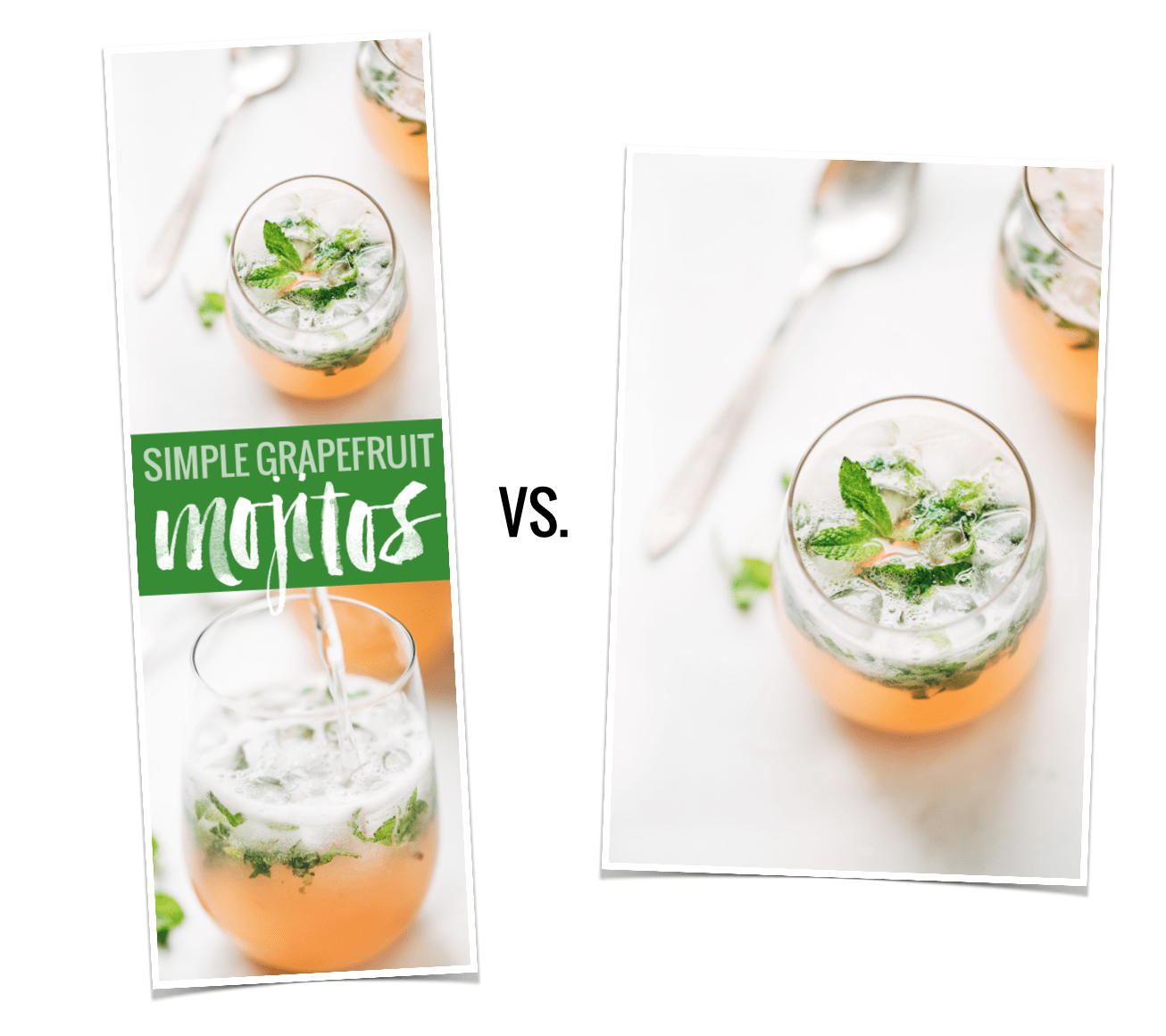
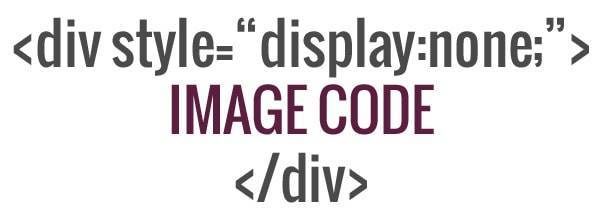
- The Manual Coding Era (Pre-2015): Early adopters identified the potential of vertical imagery but struggled with implementation. The solution required manual CSS manipulation. By adding a specific snippet of code to the HTML of a post, creators could set the display property of an image to "none," rendering it invisible to the reader while keeping the file accessible to Pinterest’s crawlers.
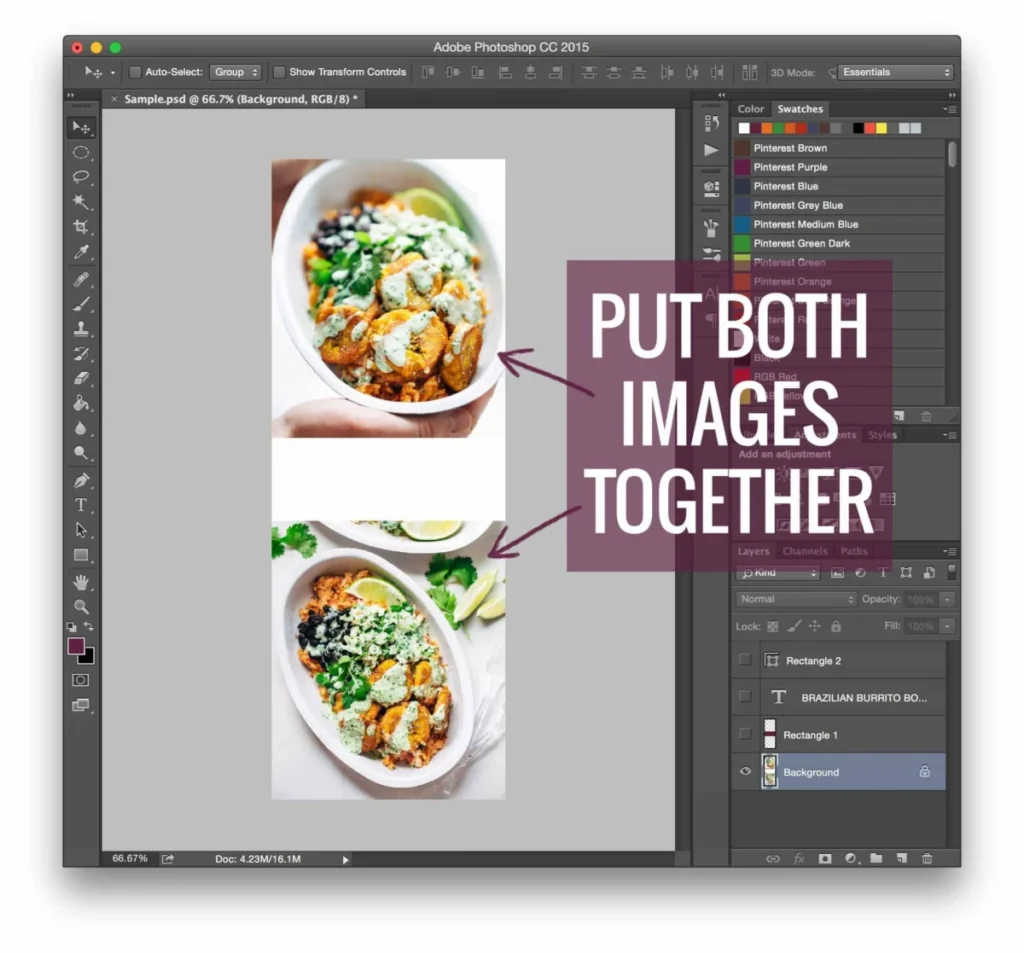
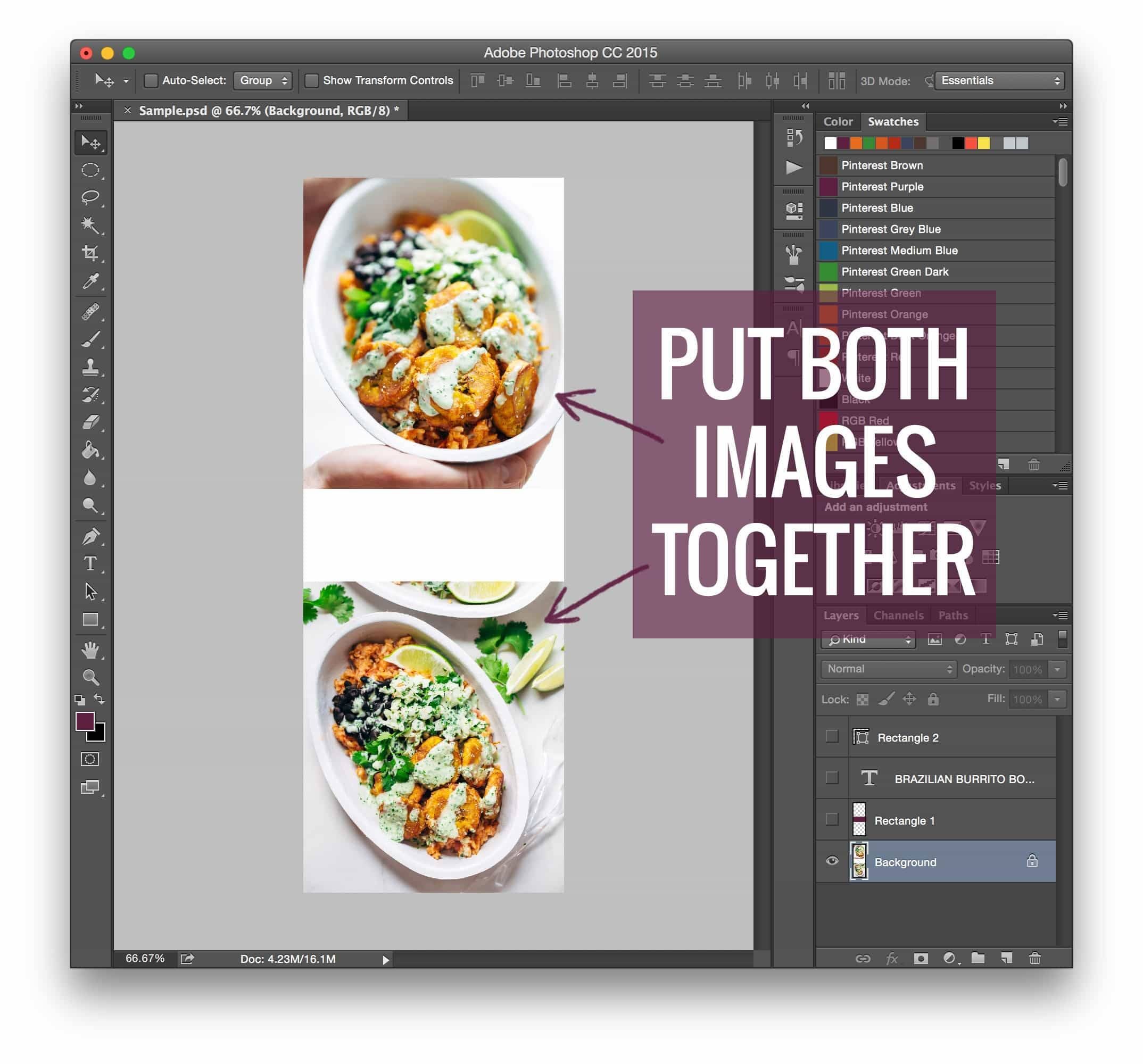
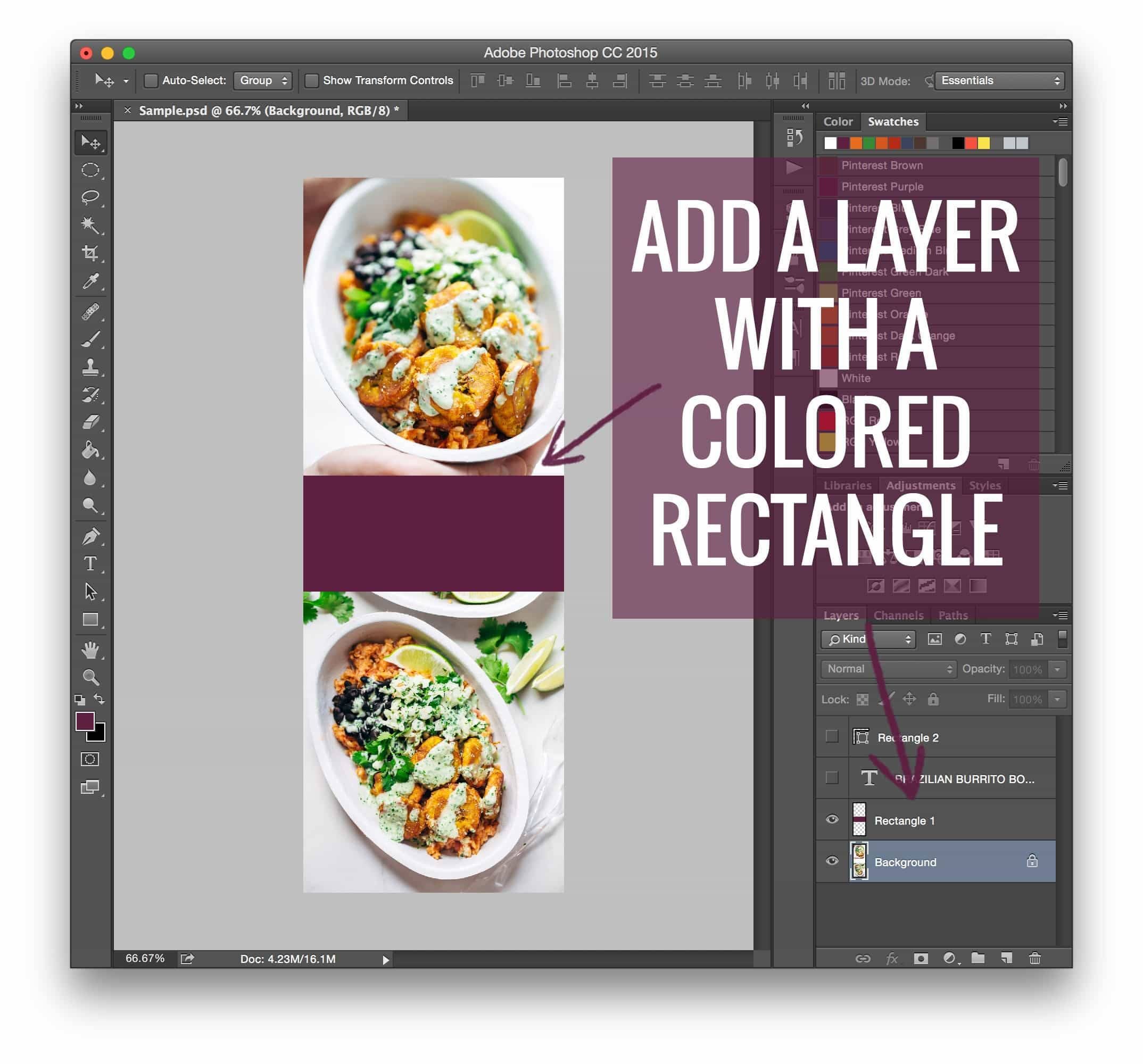
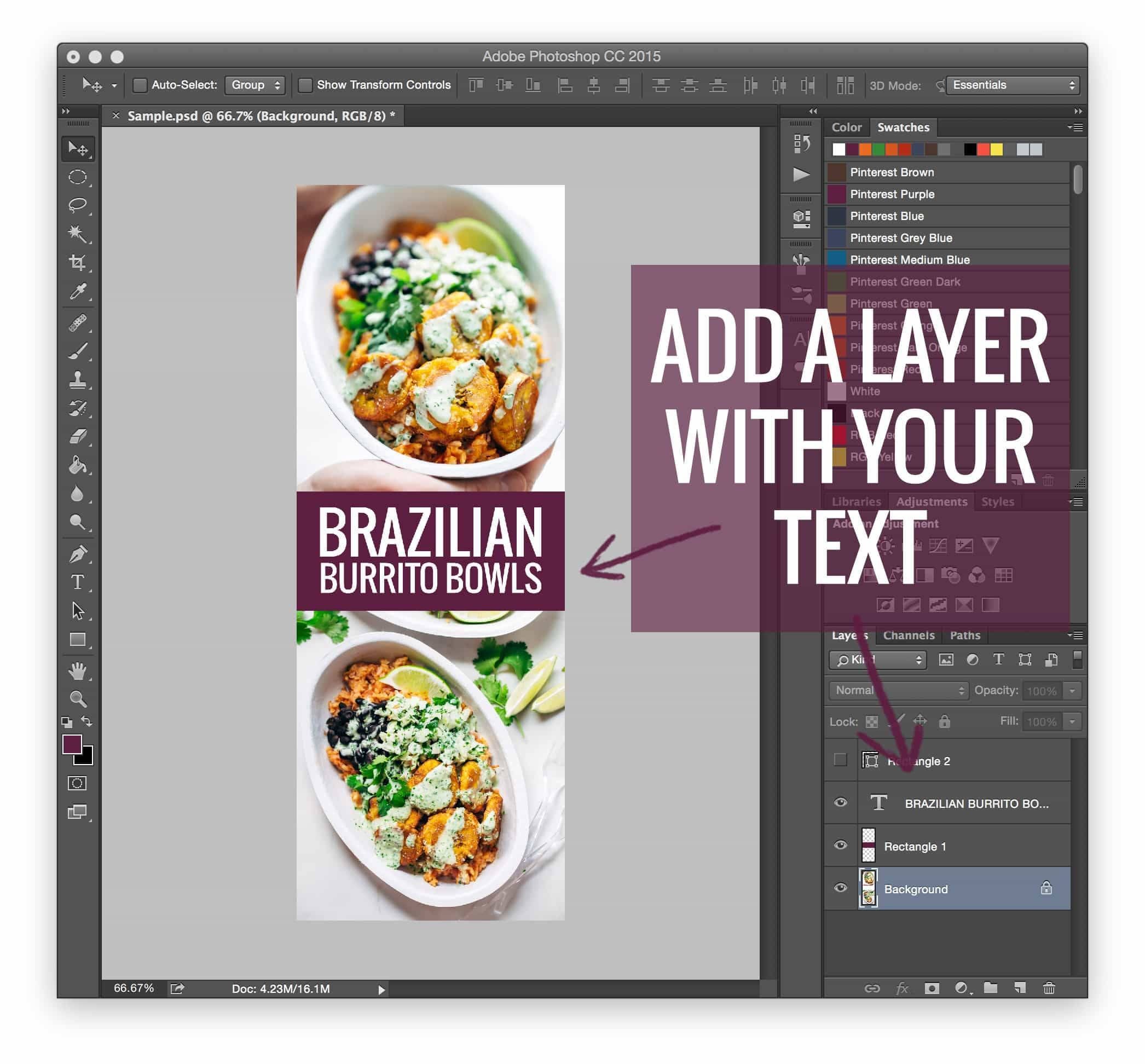
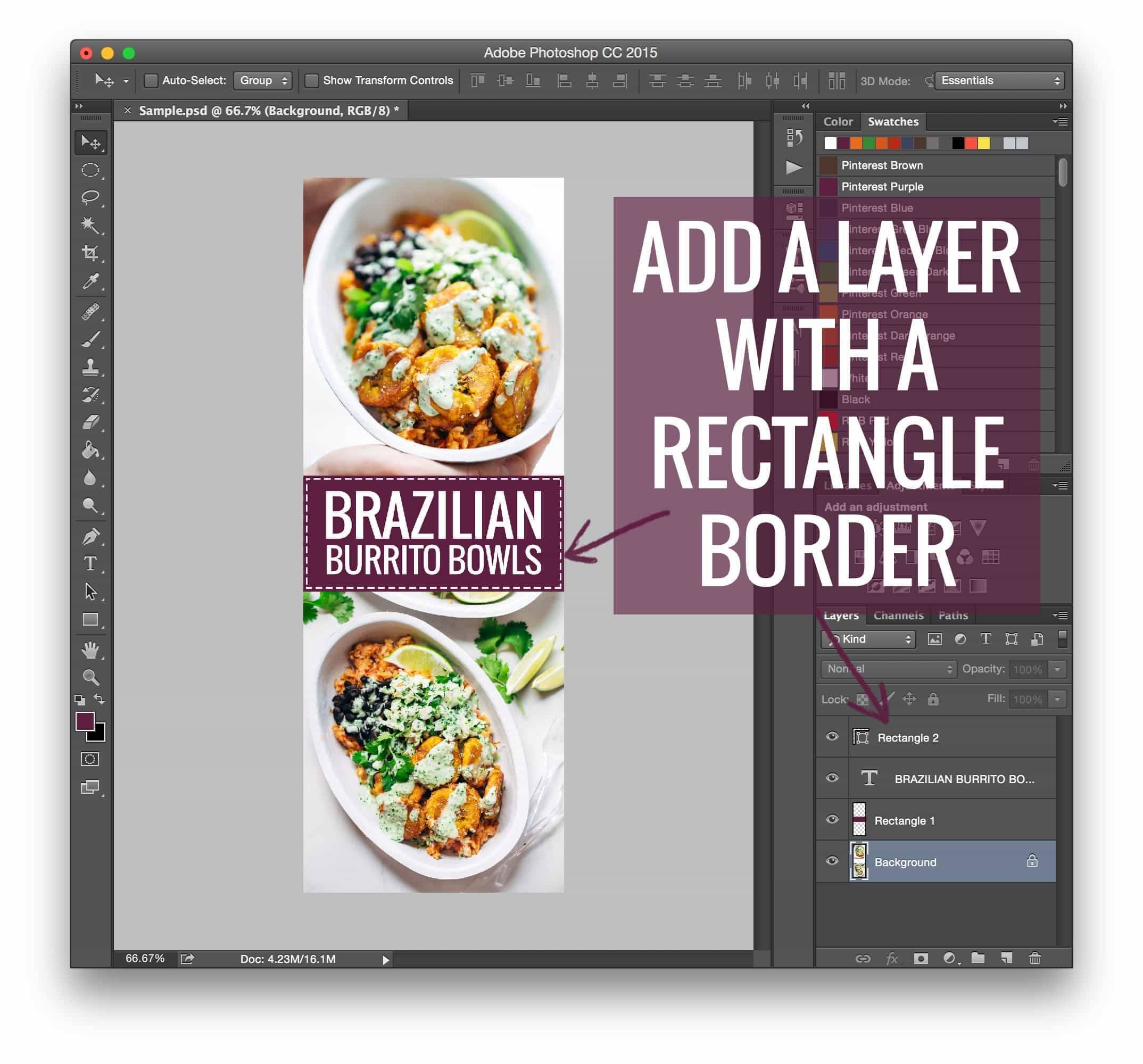
- The DIY Tutorial Phase (2015–2017): As the efficacy of this method became public knowledge, bloggers began sharing their technical workflows. Tutorials on using Photoshop to create these assets—focusing on specific branding elements like colored rectangles and dotted borders—became viral content pieces. This era prioritized technical empowerment, with bloggers learning basic HTML and CSS to maintain control over their site’s aesthetic.
- The Automation Revolution (2018–Present): Recognizing the burden that manual coding placed on content creators, software developers began building dedicated plugins. Tools such as "Tasty Pins" emerged, allowing users to designate specific Pinterest images without needing to touch code. This marked a shift from manual technical maintenance to plug-and-play efficiency, allowing bloggers to focus on content creation rather than backend development.
Supporting Data: Why Dimensions Matter
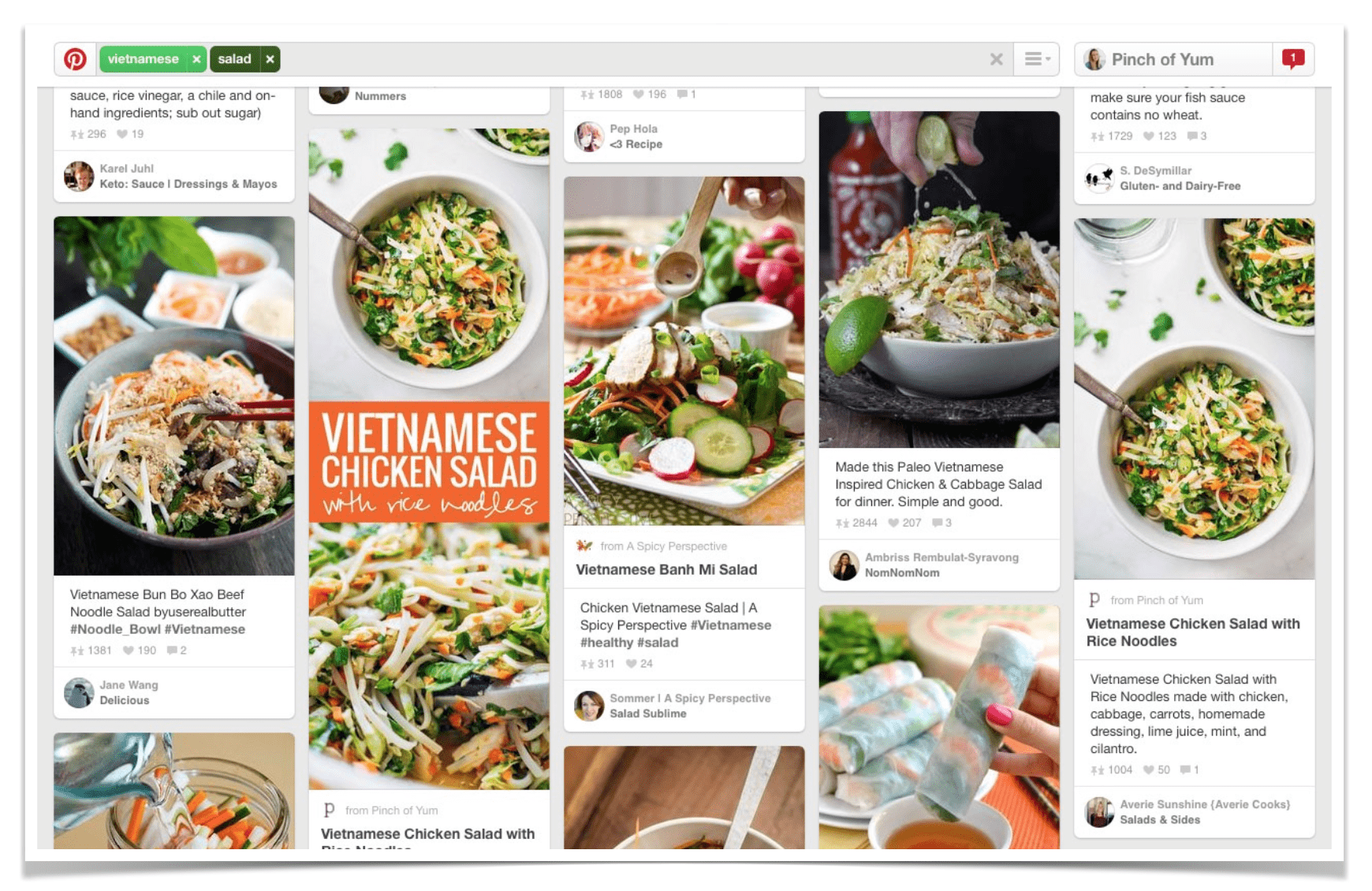
The data supporting this trend remains compelling. Studies conducted during the initial rise of this technique indicated that the increased screen presence of a tall image directly correlates with user dwell time and click-through rates.
When a user scrolls through a Pinterest feed, their eyes are drawn to images that occupy the most vertical space. A standard 600×400 image is easily skipped over, whereas a 600×1200 or 600×1500 graphic acts as a visual anchor. Even as Pinterest has adjusted its algorithm over the years to combat "clickbait" or overly long infographics, the principle remains: images that provide context (such as titles and clear imagery) continue to see significantly higher engagement than minimalist, text-free photography.
Official Perspectives and Industry Best Practices
While the technical method of hiding images has evolved, the "why" behind the strategy remains a topic of professional debate.
Industry experts often emphasize that "hiding" images is not a deceptive practice, but rather an optimization of user experience (UX). The goal is to provide Pinterest users with the high-value, shareable content they are looking for, without forcing that content onto the blog reader who is there specifically for the written article or the primary photography.
"We no longer use manual CSS to hide our pins," notes the team behind the Pinch of Yum platform. "We found that as our site grew, the manual process became a bottleneck. Moving to automated plugins was a necessary evolution to ensure reliability and site speed."
This transition highlights a broader shift in the blogging industry: moving away from "hacky" solutions toward professional, supported software that ensures long-term site health and SEO compliance.
Implications for Modern Content Creators
The implications of these developments for today’s content creators are twofold:
1. The Death of Manual Coding
While understanding the underlying mechanics of your website is beneficial, the era of relying on custom CSS hacks for routine marketing tasks is largely over. The risk of breaking a site’s layout or encountering compatibility issues during theme updates is too high. Using reputable, maintained plugins is now considered the "best practice" for professional-grade websites.
2. Branding as a Competitive Advantage
Because "long images" have become the industry standard, simply having a long image is no longer enough to differentiate content. The focus has shifted from the format to the quality of design. Creators are now expected to use consistent color palettes, typography, and visual branding in their Pinterest assets. The image must serve as an extension of the brand identity, not just a utilitarian billboard.
3. Monetization and User Flow
The ultimate goal of these hidden images is to funnel traffic toward monetization channels—be it through affiliate marketing, sponsored content, or email list growth. The "hidden" strategy allows the blogger to keep the primary content of the page focused on the reader, while the "Pinterest-ready" image acts as a silent salesperson, capturing the attention of social media users who are likely to click through and eventually convert into loyal site visitors.
4. SEO and Accessibility Considerations
A critical implication that cannot be overlooked is the impact on accessibility and SEO. While hiding an image is effective for traffic, it must be done with proper Alt Text and descriptive file naming. Search engines still need to "read" what the image represents, even if the visitor cannot see it. Neglecting metadata for hidden images means missing out on potential organic traffic from Google Images, which is often a secondary, yet powerful, source of discovery.
Conclusion: The Path Forward
The strategy of hiding Pinterest images in WordPress posts serves as a masterclass in balancing user experience with marketing goals. What began as a technical workaround for savvy early adopters has matured into a sophisticated, automated standard.
For the modern blogger, the takeaway is clear: success is found at the intersection of high-quality content and strategic distribution. By leveraging modern tools to handle the technical heavy lifting, creators can continue to focus on what matters most—the quality of their narrative and the authenticity of their brand. As digital platforms continue to change, the ability to adapt, learn new workflows, and pivot toward more efficient solutions remains the defining trait of a successful online publisher.