Mastering Pinterest Optimization: The Strategy Behind Hidden Images in WordPress
In the competitive landscape of digital content creation, the visibility of blog imagery remains a critical factor in driving referral traffic. As search engine algorithms and social media platforms evolve, bloggers are increasingly turning to data-backed strategies to maximize their reach. One such technique that emerged prominently in the mid-2010s—and remains a foundational practice today—is the use of "hidden" Pinterest-optimized images. This practice allows content creators to maintain the aesthetic integrity of their blog posts while providing Pinterest users with high-converting, vertical graphics.
Main Facts: The Power of Vertical Imagery
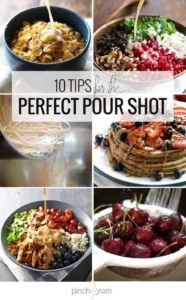
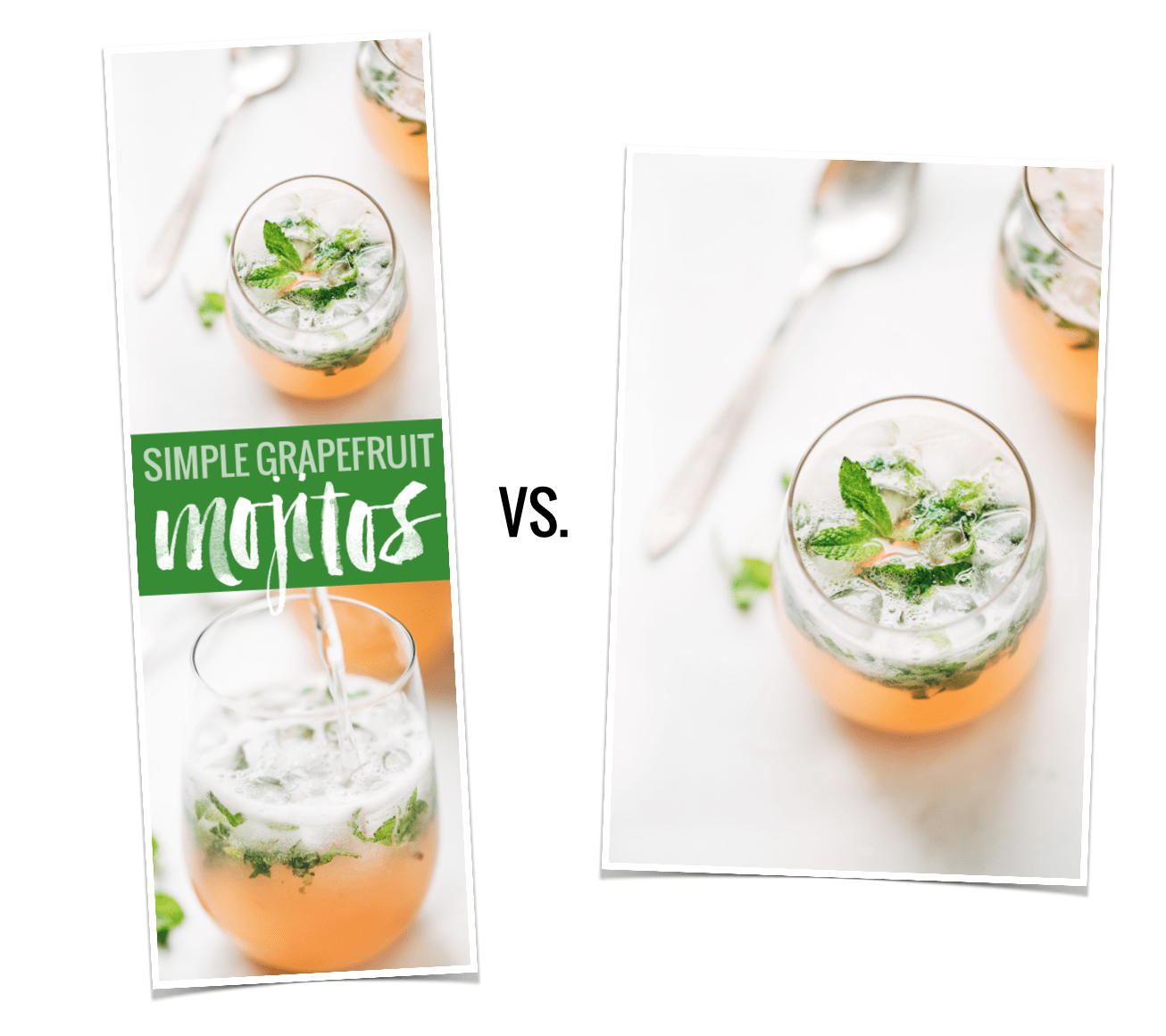
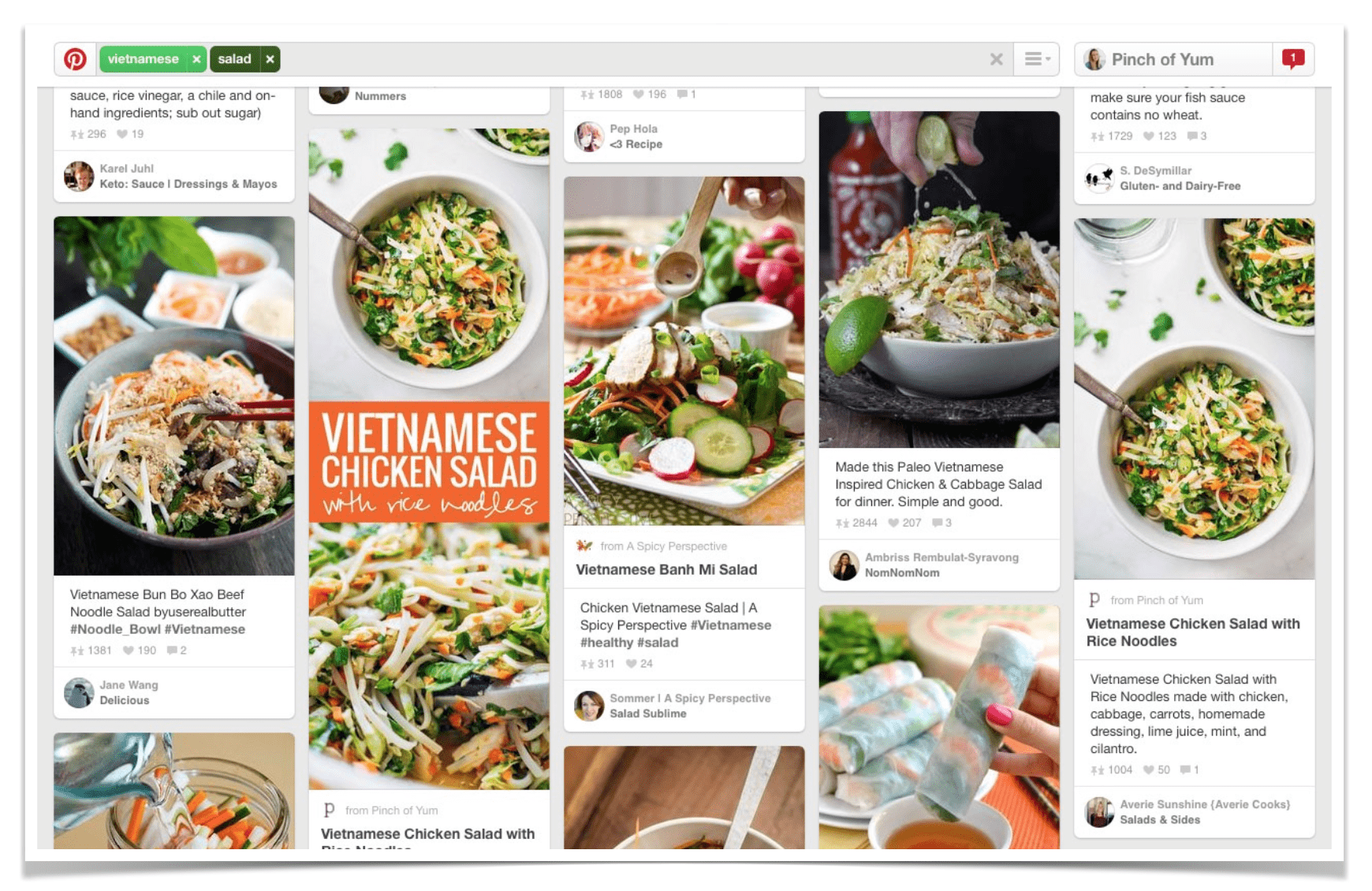
The fundamental driver behind this strategy is a simple, data-driven observation: vertical images perform significantly better on Pinterest than their horizontal counterparts. Data analysis conducted in April 2015 revealed that long, vertical Pinterest images generated, on average, 70% more repins than standard short or landscape images.

For many bloggers, however, these long, text-heavy graphics create a design dilemma. They often disrupt the visual flow of a blog post, clashing with carefully curated photography. The solution—hiding these images within the HTML of a WordPress post—allows the graphic to remain invisible to the casual blog reader while being immediately accessible to browser extensions and "Pin It" buttons. This provides the best of both worlds: a clean, professional reading experience and a high-performance asset for social discovery.
Chronology: From Manual Coding to Automated Solutions
The evolution of image management in WordPress has moved from manual, labor-intensive coding to streamlined, automated workflows.
- 2015: The Rise of Manual Implementation: As the Pinterest boom reached a fever pitch, bloggers began experimenting with basic HTML and CSS to hide images. By using simple display-none properties or specific WordPress shortcodes, creators could insert an image into the backend of a post without rendering it on the front end. This was the era of the "do-it-yourself" developer, where a basic understanding of code was a badge of honor for food and lifestyle bloggers.
- The Middle Era: Plugin Proliferation: As the demand for these features grew, the WordPress ecosystem responded with a surge of plugins. These tools aimed to simplify the process, offering interfaces that allowed users to select a "Pinterest image" without touching a line of code.
- Modern Day: The Era of Specialization: Today, the industry has shifted toward professional, purpose-built tools. Developers realized that manual code is prone to breaking during theme updates or platform migrations. Consequently, premium solutions like Tasty Pins have become the industry standard. These tools handle the technical heavy lifting—including image optimization, SEO-friendly descriptions, and the "hidden image" functionality—ensuring that content creators can focus on their craft rather than troubleshooting code.
Supporting Data: Why Aesthetic Control Matters
The impetus for hiding images is grounded in the user experience (UX) of a blog. A typical, high-quality blog post might feature minimalist, high-resolution photography that captures the essence of a recipe or a lifestyle moment. Inserting a long, narrow, collage-style graphic with bold typography and a "Pin It" call-to-action can severely undermine the editorial quality of the post.
Surveys of digital content consumers indicate that "cluttered" pages correlate with higher bounce rates. When an image occupies a significant portion of a screen on a mobile device—a platform where the majority of traffic now originates—it can frustrate readers who are there for the content, not the marketing. By hiding the pin, bloggers preserve the "flow" of their site. The image remains ready for Pinterest users who utilize browser extensions to scan the page, yet it remains invisible to the reader browsing the text.
Professional Insights: Crafting the Perfect Pin
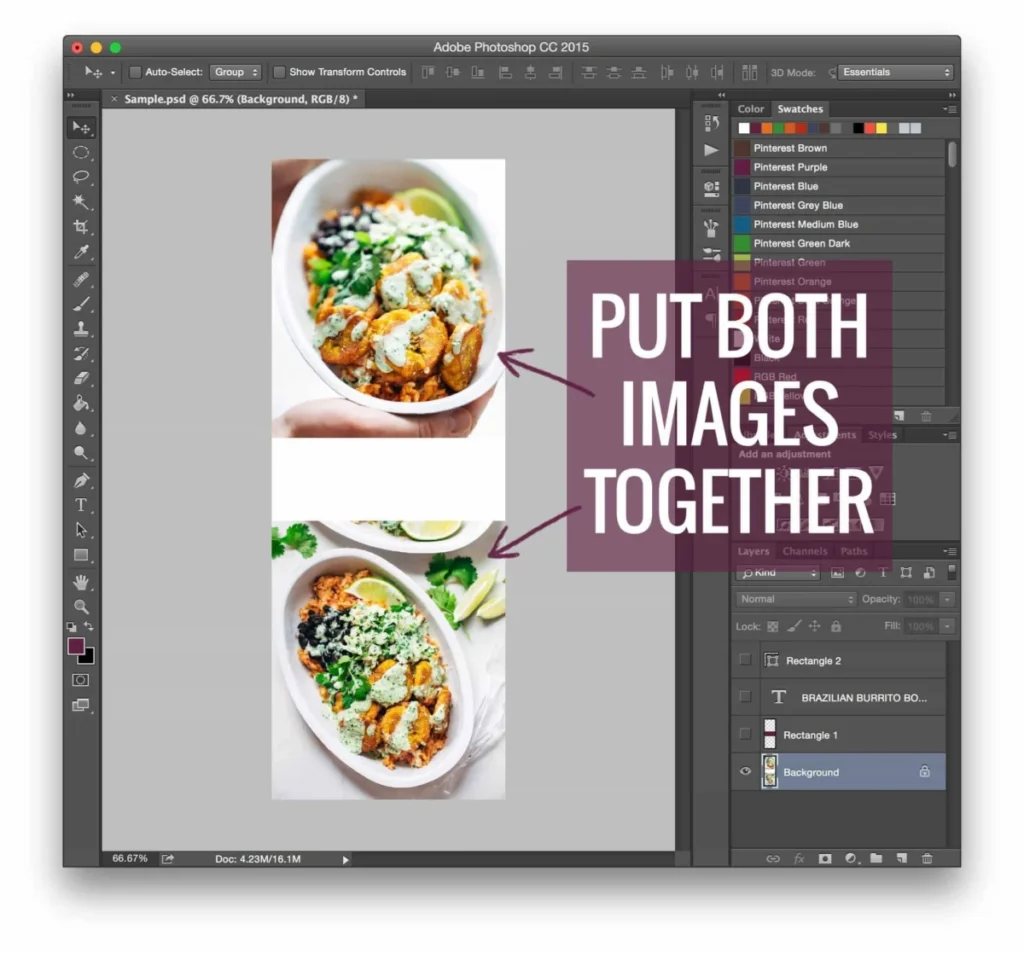
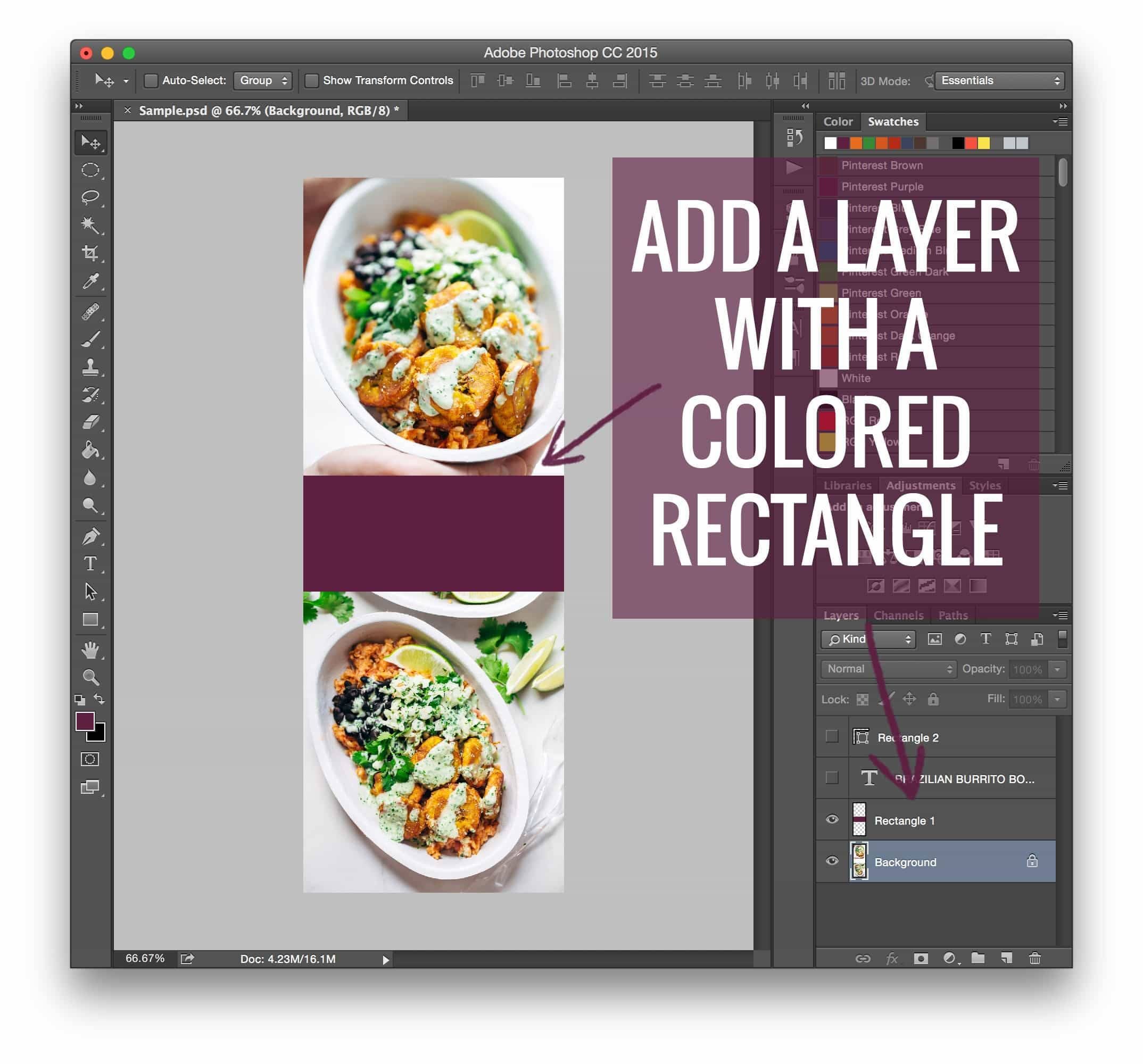
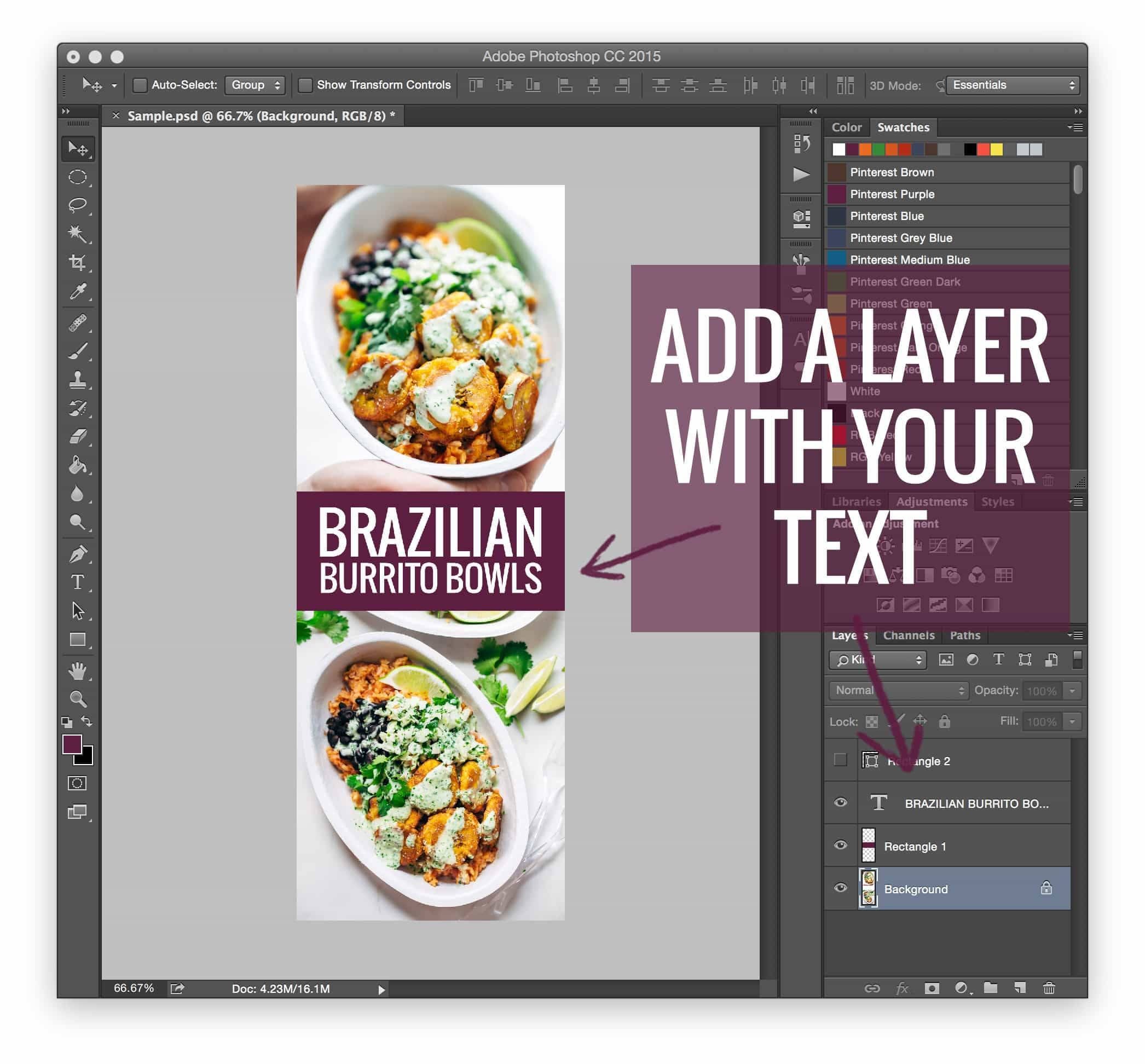
Creating a successful Pinterest image is an art form that balances design with utility. While Photoshop remains the gold standard for versatility, allowing for precise control over layers, typography, and branded elements, other tools like Canva have made the process accessible to beginners.
Professional design guidelines for high-performing pins typically include:
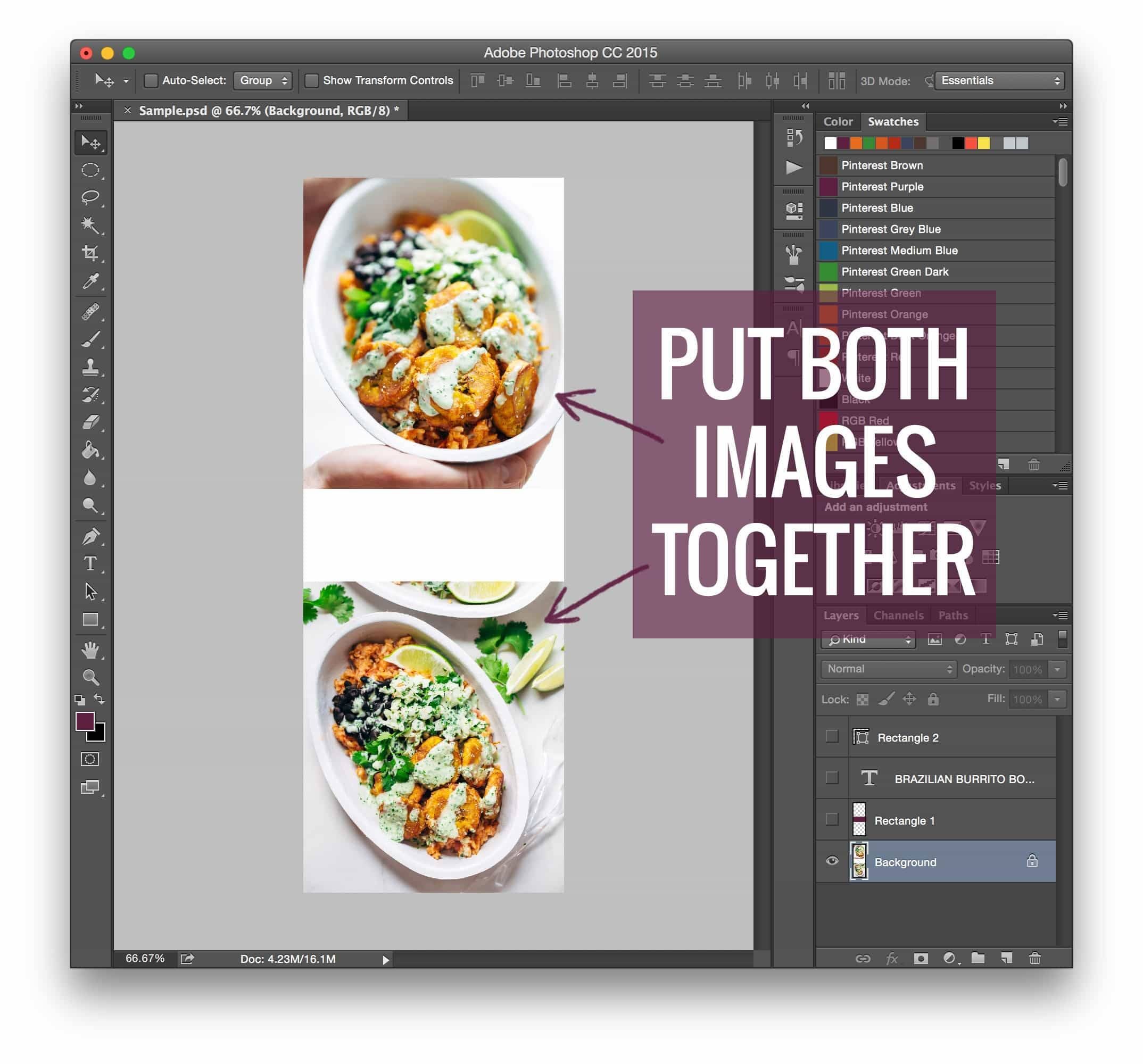
- Vertical Orientation: A 2:3 aspect ratio is generally recommended for optimal display on the Pinterest feed.
- Clear Typography: Using bold, legible fonts that are easily readable even as a small thumbnail.
- Visual Context: Including a high-quality "hero" shot of the finished project or product.
- Branding: Incorporating a consistent color palette and logo placement to build brand recognition across the platform.
While templates are useful, experts advise creators to use them only as a starting point. Customization is key to standing out in a crowded feed, and the most successful pins are those that feel native to the creator’s specific aesthetic.
Implications for Blog Monetization
The implications of this strategy extend far beyond simple traffic generation; it is a fundamental component of a blog’s monetization funnel. Pinterest is a "discovery" engine, meaning users are often in a mindset to buy, cook, or plan. Driving high-quality, intent-driven traffic from Pinterest to a website is a primary driver of ad revenue, affiliate income, and product sales.
For those looking to scale their operations, understanding the technical aspects of image optimization is essential. Many professional bloggers now view their site as a business, where every technical decision—from site speed to image placement—is evaluated based on its ROI. As the digital landscape continues to fragment, the ability to control how content is distributed on third-party platforms remains a vital skill.
Conclusion: The "Rising Tide" Philosophy
The transition from manual coding to sophisticated plugins represents a broader trend in the creator economy: the move toward professionalization. As the initial "hacks" of 2015 have been refined into stable, scalable software solutions, the barrier to entry for professional blogging has lowered, even as the bar for quality has risen.
As one industry expert noted, "A rising tide lifts all ships." By sharing these technical workflows, the blogging community has democratized access to traffic-driving strategies. Whether you are using a legacy manual coding method or a modern, automated plugin, the goal remains the same: to ensure that your content is not only seen but is also optimized for the specific platforms where your audience lives. As we look to the future, the integration of AI-assisted design and advanced analytics will likely continue to reshape how we handle images, but the core principle—respecting the reader’s experience while maximizing social potential—will remain a constant in the world of professional blogging.