Optimizing Pinterest Traffic: The Evolution of Hidden Image Strategies for WordPress Bloggers
In the competitive landscape of digital content, visual engagement is the currency of growth. For bloggers, particularly those in the food, lifestyle, and DIY niches, Pinterest has long served as a primary driver of referral traffic. However, a significant design tension exists: the images that perform best on Pinterest—tall, text-heavy, and vertical—often clash with the aesthetic flow of a clean, minimalist blog post.
This article explores the historical shift in how bloggers manage this conflict, moving from manual, code-heavy "hiding" techniques to the automated, user-friendly solutions that dominate the market today.

Main Facts: The "Tall Image" Phenomenon
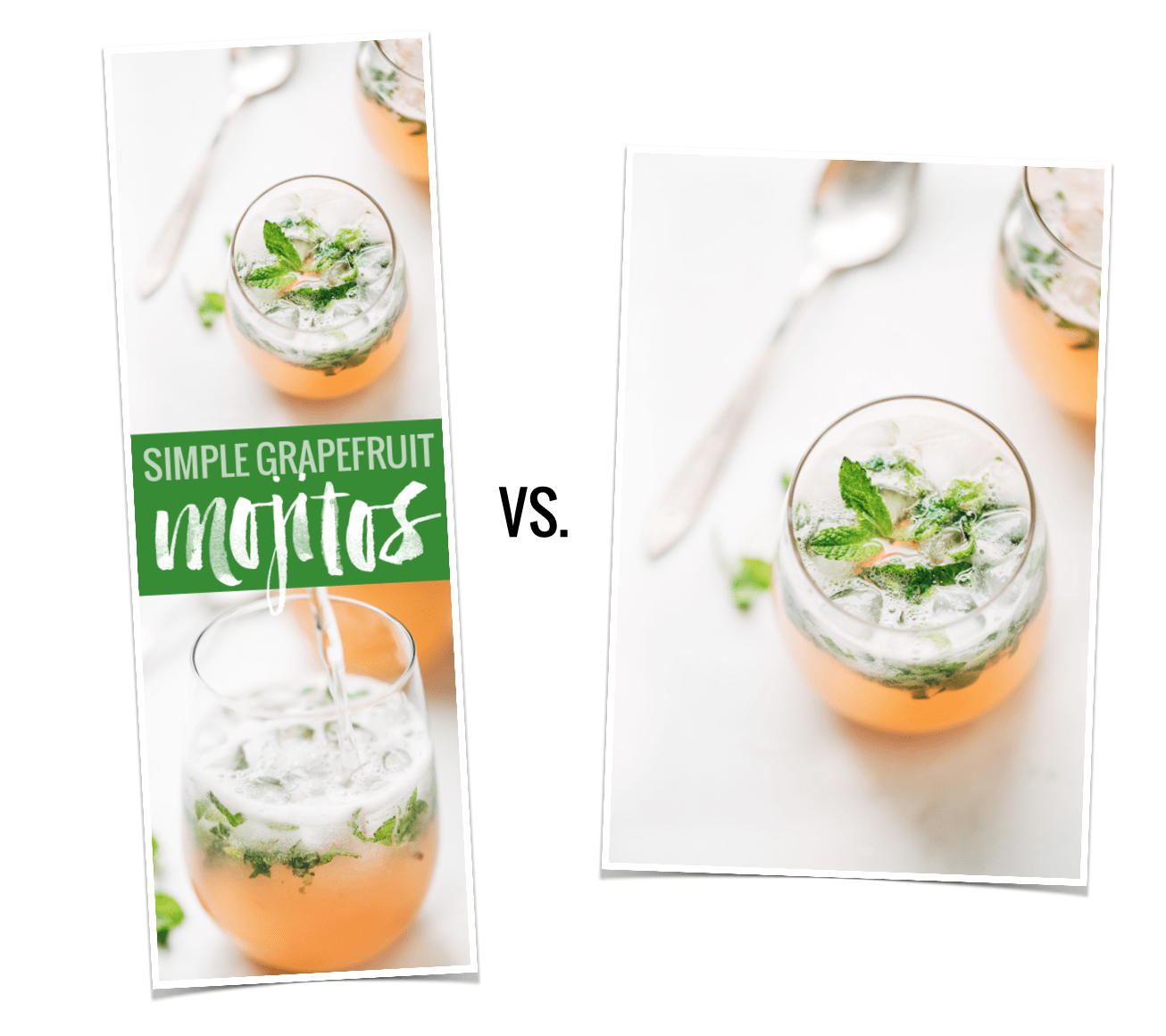
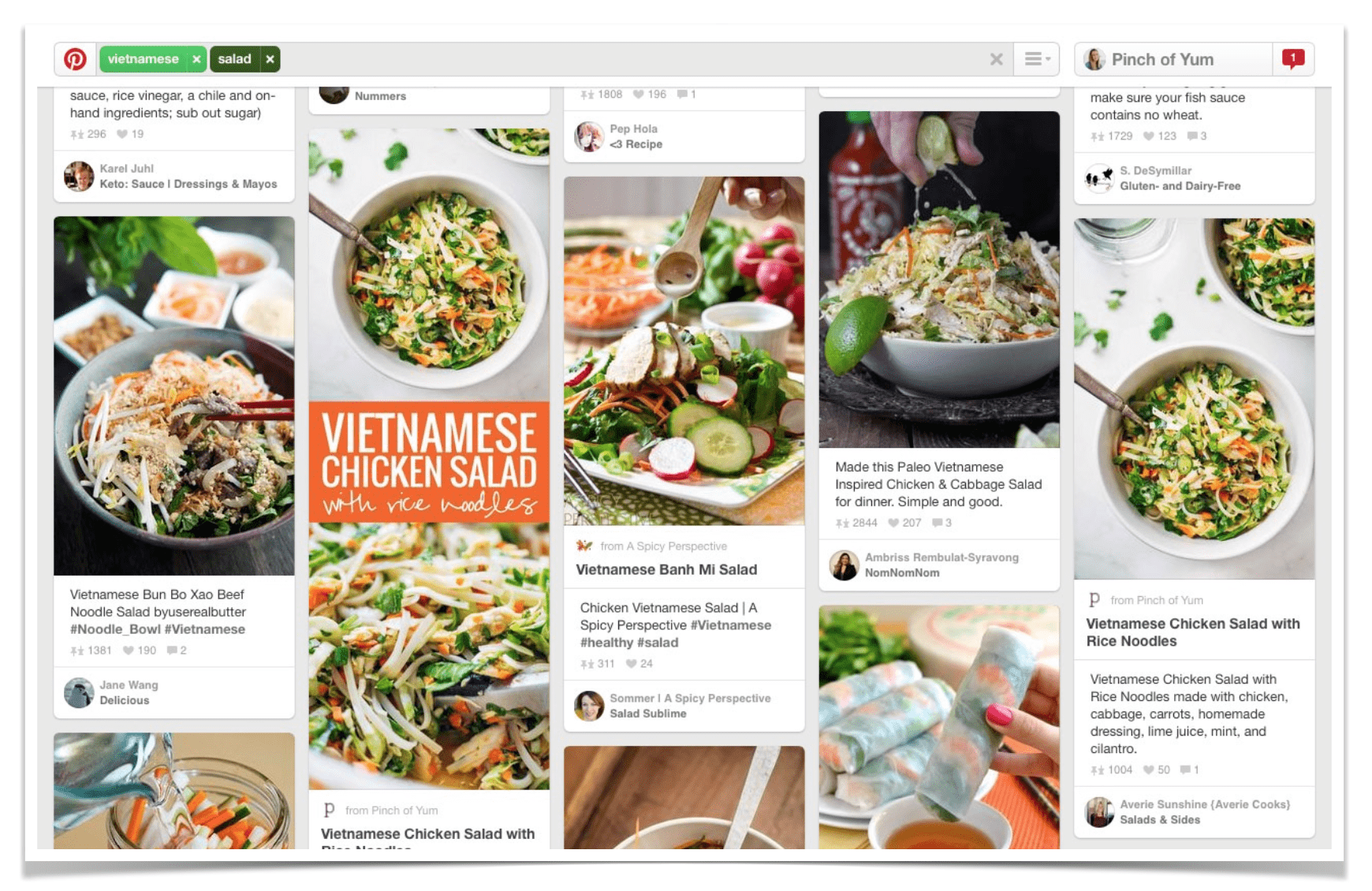
Data consistently suggests that vertical imagery dominates Pinterest’s algorithm. In a landmark 2015 study by Pinch of Yum, researchers found that, on average, long-form vertical images generated 70% more repins than their shorter counterparts.
The rationale is rooted in user experience and screen real estate. Mobile users scrolling through a feed are more likely to stop for an image that occupies a larger portion of their screen. However, this creates a "Content Paradox." Bloggers want to cater to the Pinterest algorithm to maximize traffic, yet they fear that inserting large, text-laden graphics into their posts disrupts the reader’s experience. The solution that emerged within the creator community was the "hidden image"—a way to include an asset in the site’s HTML so that it is available to the Pinterest "Pin It" browser extension or share button, without it being visible to the casual reader browsing the blog.
Chronology: From Manual Code to Automation
The Early Era (2015): The Manual Code Approach
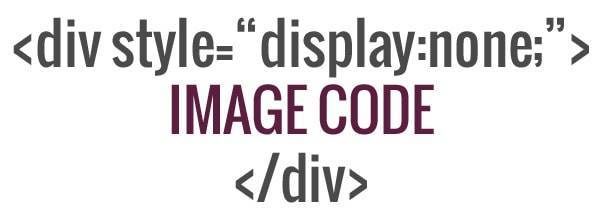
During the early years of the blogging boom, developers and tech-savvy content creators relied on custom CSS and HTML to suppress these images. By utilizing a specific display: none; property within the stylesheet or by manipulating the <div> tags in the WordPress editor, bloggers could effectively "hide" an image.
While effective, this method was fraught with potential for error. A simple typo in the code could break a page’s layout or, conversely, reveal the "ugly" pin image to the public, ruining the visual cohesion of the post. It required a baseline understanding of web development that many writers simply did not possess.
The Transitional Period: Tutorials and Community Knowledge
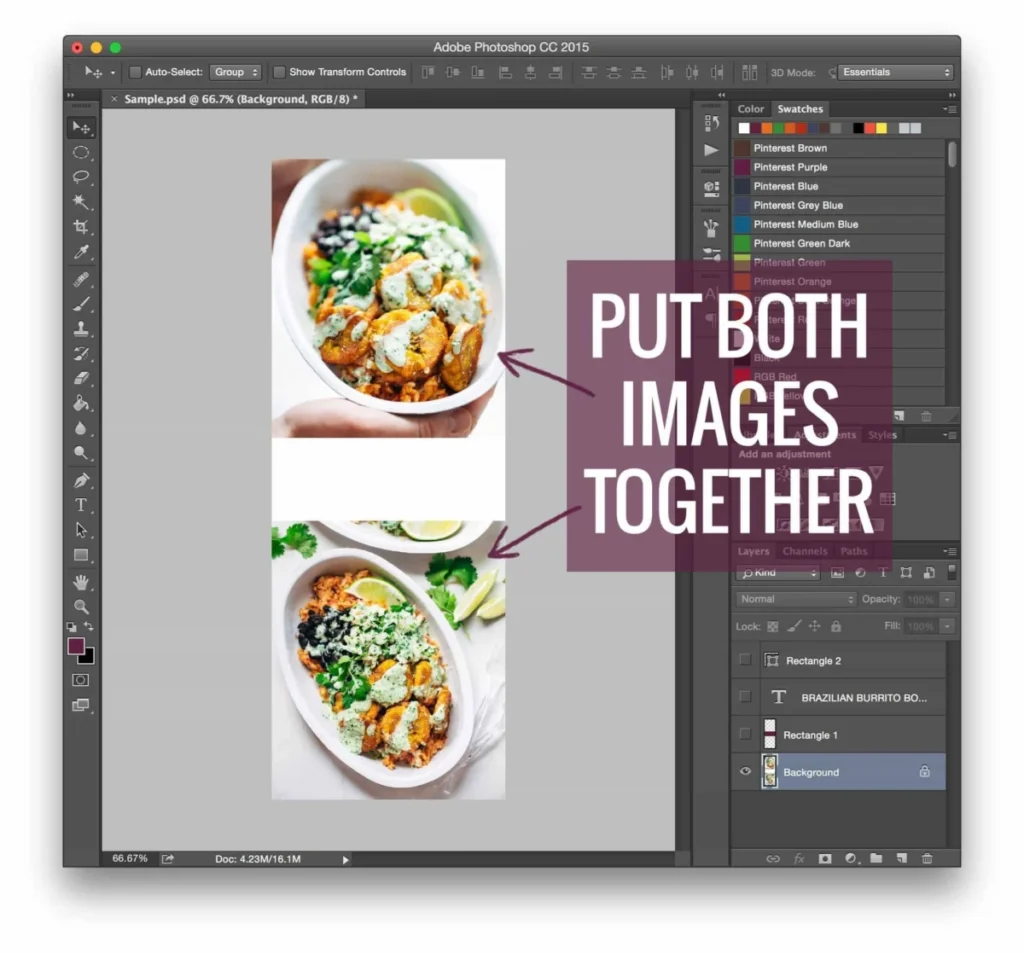
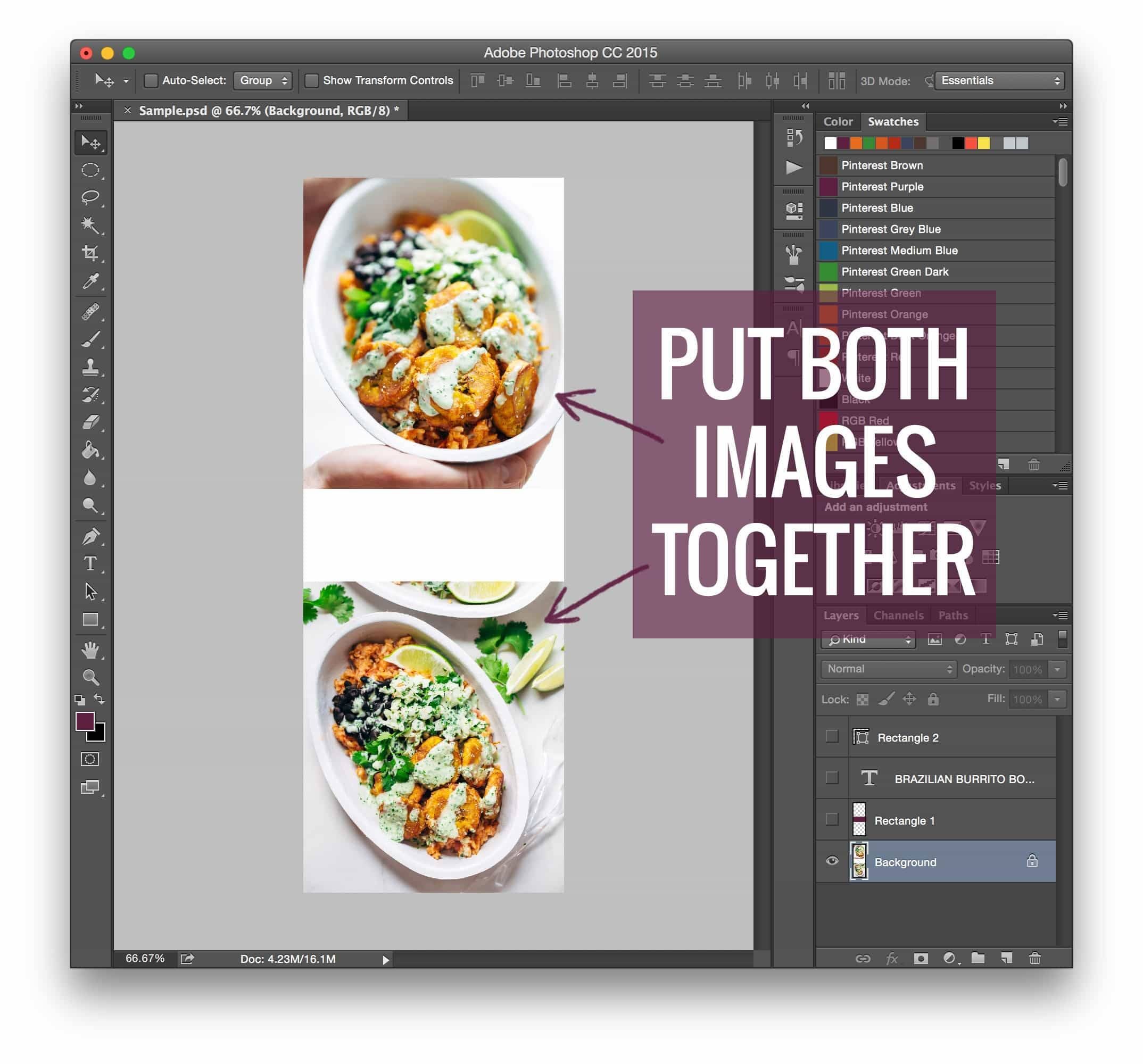
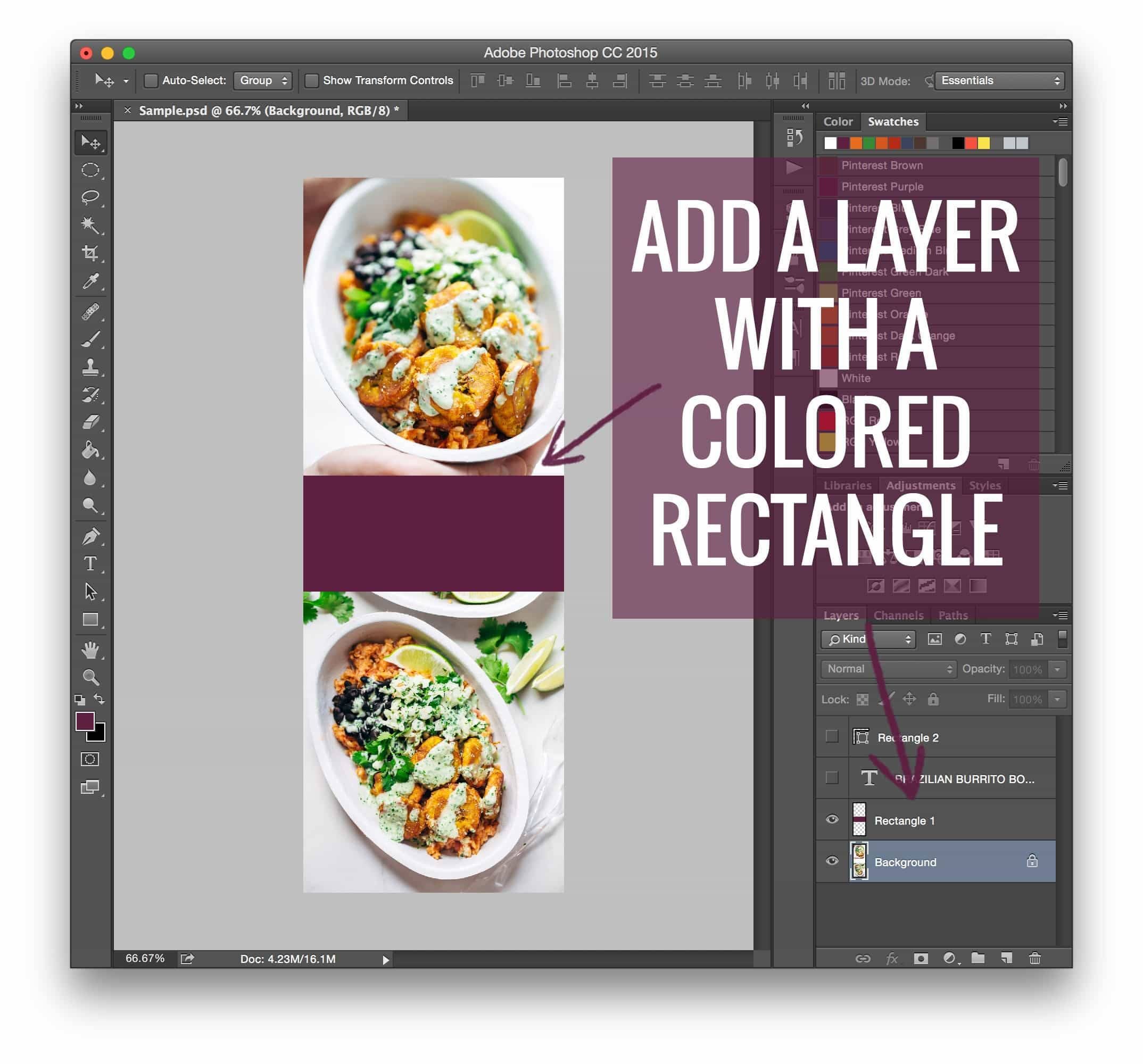
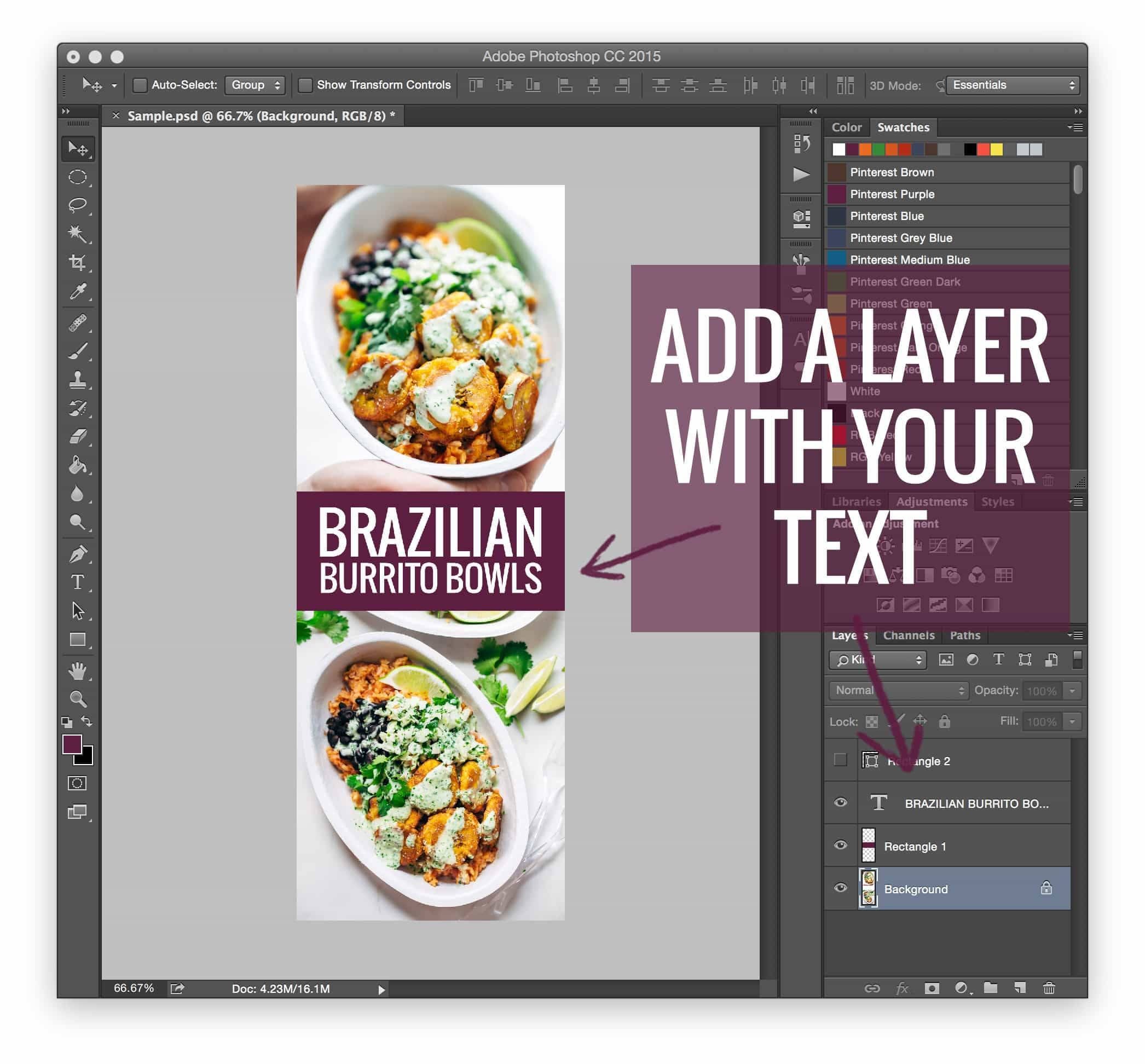
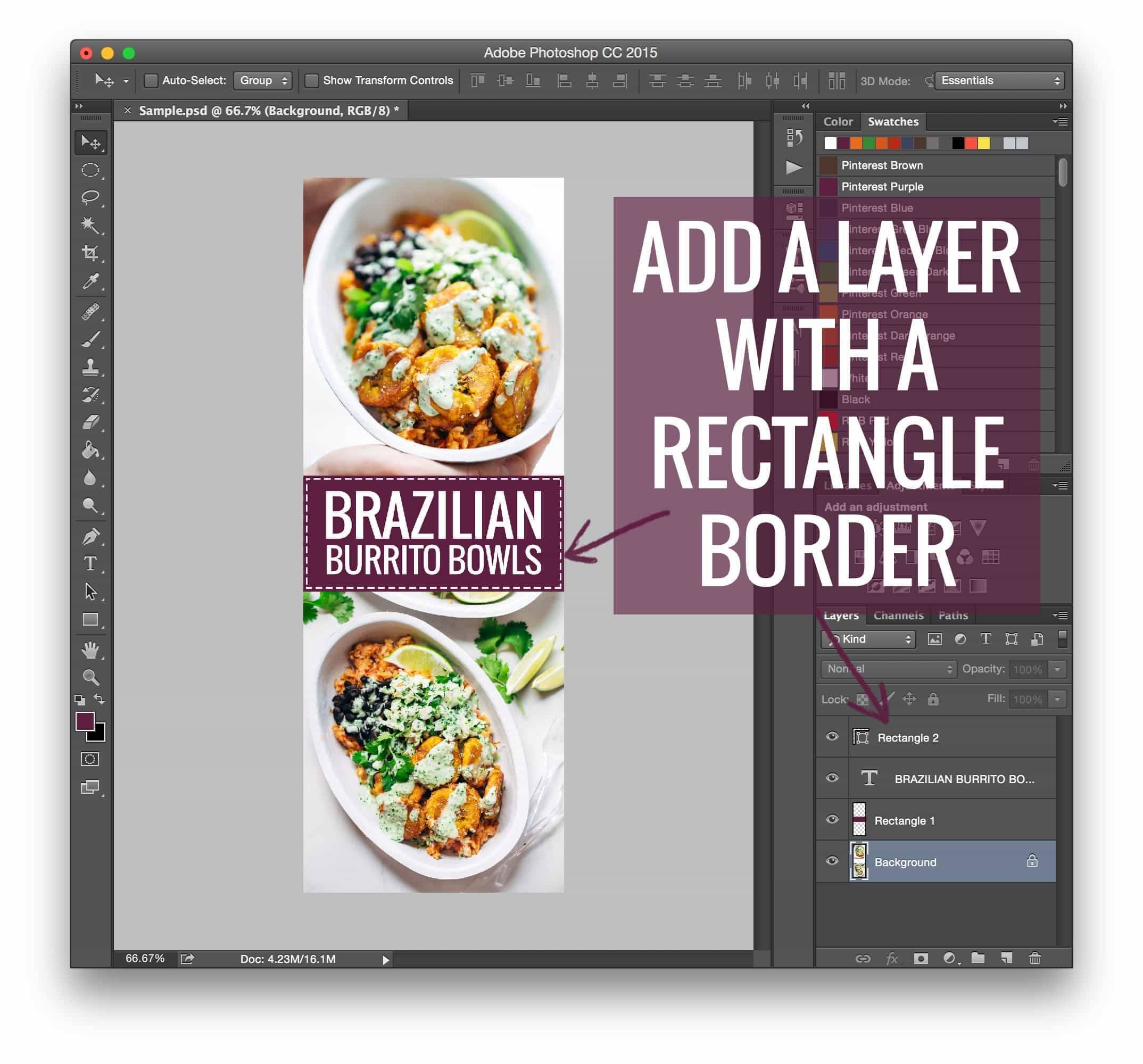
Between 2015 and 2017, there was a surge in educational content. Bloggers began sharing "How-To" video tutorials, documenting the step-by-step process of using Adobe Photoshop to create high-conversion vertical graphics, followed by the technical implementation of hiding them. This was a period of "community-sourced engineering," where successful bloggers acted as technical mentors, sharing snippets of code that allowed others to mimic their growth strategies.
The Modern Era: The Rise of Plugins
Recognizing the demand for a more reliable, "non-coder" friendly solution, the market shifted toward dedicated WordPress plugins. Tools such as Tasty Pins emerged to replace manual coding. These plugins allow users to specify a hidden Pinterest image in the backend of a post without touching a single line of code. This shift represented the professionalization of the blogging industry, moving away from "DIY hacking" toward streamlined software solutions that prioritize efficiency and site stability.
Supporting Data: Why Visuals Dictate Traffic
The necessity of these techniques is supported by the metrics of the time. When bloggers began A/B testing their posts, they observed that posts containing vertical, SEO-optimized pins saw an average increase in traffic ranging from 30% to 150% depending on the niche.
- User Engagement: Readers typically prefer high-quality, singular photography that enhances the reading experience.
- Algorithm Preference: Pinterest favors high-aspect-ratio images (typically 2:3 or 1:2.1).
- Social Proof: The "Pin It" button integration—which allows users to select from multiple images—acts as a catalyst for viral sharing.
By hiding the "Pinterest-ready" image, bloggers ensure that the primary content remains clean while simultaneously providing a "hidden" resource that is perfectly optimized for the Pinterest feed.
Official Perspectives and Industry Best Practices
Industry leaders and professional blogging platforms, such as Food Blogger Pro and WP Tasty, have consistently advocated for a balance between aesthetics and search engine optimization (SEO).
The consensus among modern experts is that technical "hiding" should be handled by stable, regularly updated plugins. This is not merely for convenience; it is a matter of site health. Hand-coded solutions often fail during WordPress theme updates or changes to the core CMS framework. Plugins, by contrast, offer a layer of abstraction that protects the site owner from future technical debt.
Furthermore, these platforms emphasize that while hidden images are a valuable tool, they do not replace the need for high-quality, original content. A beautiful pin might earn a click, but the value of the blog post itself dictates whether that click turns into a returning visitor.
Implications for the Future of Blogging
The evolution of the "hidden image" strategy serves as a microcosm for the broader professionalization of the creator economy. What began as a community-driven "hack" has become a standard feature in the toolkit of a professional blogger.
1. The Death of Manual Hiding
As Google and other search engines prioritize "Core Web Vitals"—which measure loading speed and layout stability—manual code injections that hide large images are increasingly viewed as a technical risk. Plugins now handle these assets in a way that minimizes impact on PageSpeed scores, ensuring that hidden images do not negatively affect SEO.
2. The Shift Toward "Brand-First" Content
The move away from the "long, text-heavy image" inside the post body is a win for design. Bloggers now have the freedom to curate a professional, magazine-style aesthetic on their own sites, while still maintaining a robust social media strategy. The "hidden image" acts as a bridge between these two distinct platforms: the blog as a creative space and Pinterest as a search-driven traffic engine.
3. Continued Monetization
For those looking to monetize their blogs, the implications are clear: visibility is the precursor to revenue. Techniques that increase Pinterest traffic are, by extension, techniques that increase affiliate revenue and ad impressions. Educational resources, such as guides on "16 Ways to Monetize Your Food Blog," now explicitly include technical optimization—like image management—as a foundational step for success.
Conclusion: A Rising Tide
The transition from manual coding to sophisticated, plugin-based image management reflects the maturity of the digital publishing industry. As we look forward, the focus for bloggers will likely shift further toward automation and data-driven design.
The philosophy remains the same as it was in 2015: "A rising tide lifts all ships." By sharing technical knowledge and moving away from cumbersome, error-prone manual fixes, the blogging community has created a more accessible, efficient, and visually appealing web. Whether you are a novice blogger or a seasoned professional, the ability to effectively manage how your content is shared on platforms like Pinterest is no longer just a technical luxury—it is a competitive necessity.
By utilizing modern tools to hide the images that drive the algorithm while keeping your site clean, you aren’t just playing the game; you are defining the aesthetic standard for your own digital brand.