Mastering Pinterest Traffic: The Strategic Guide to Optimizing and Hiding Long-Form Imagery
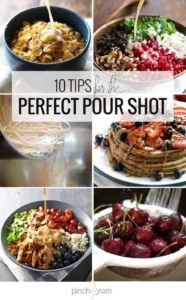
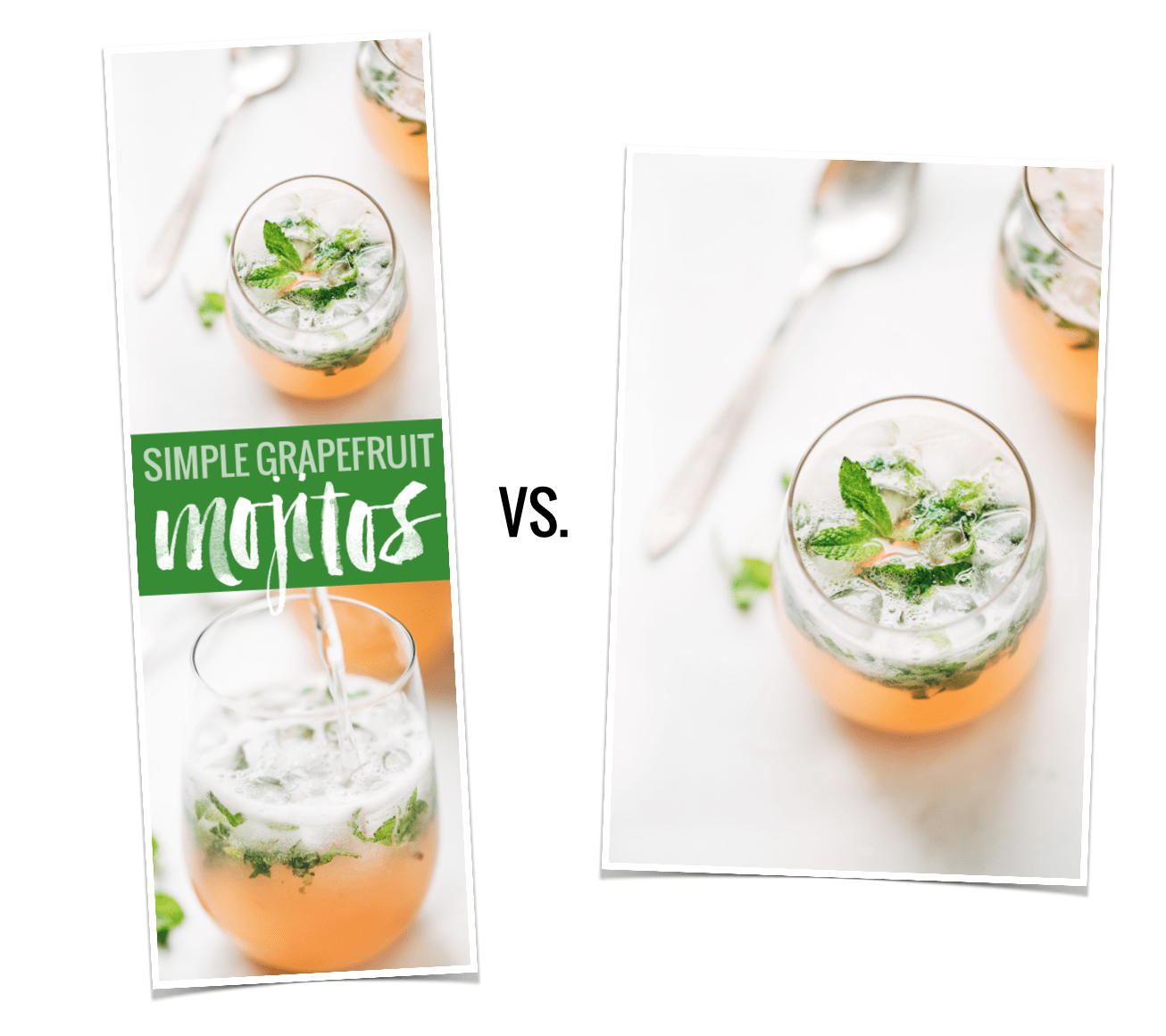
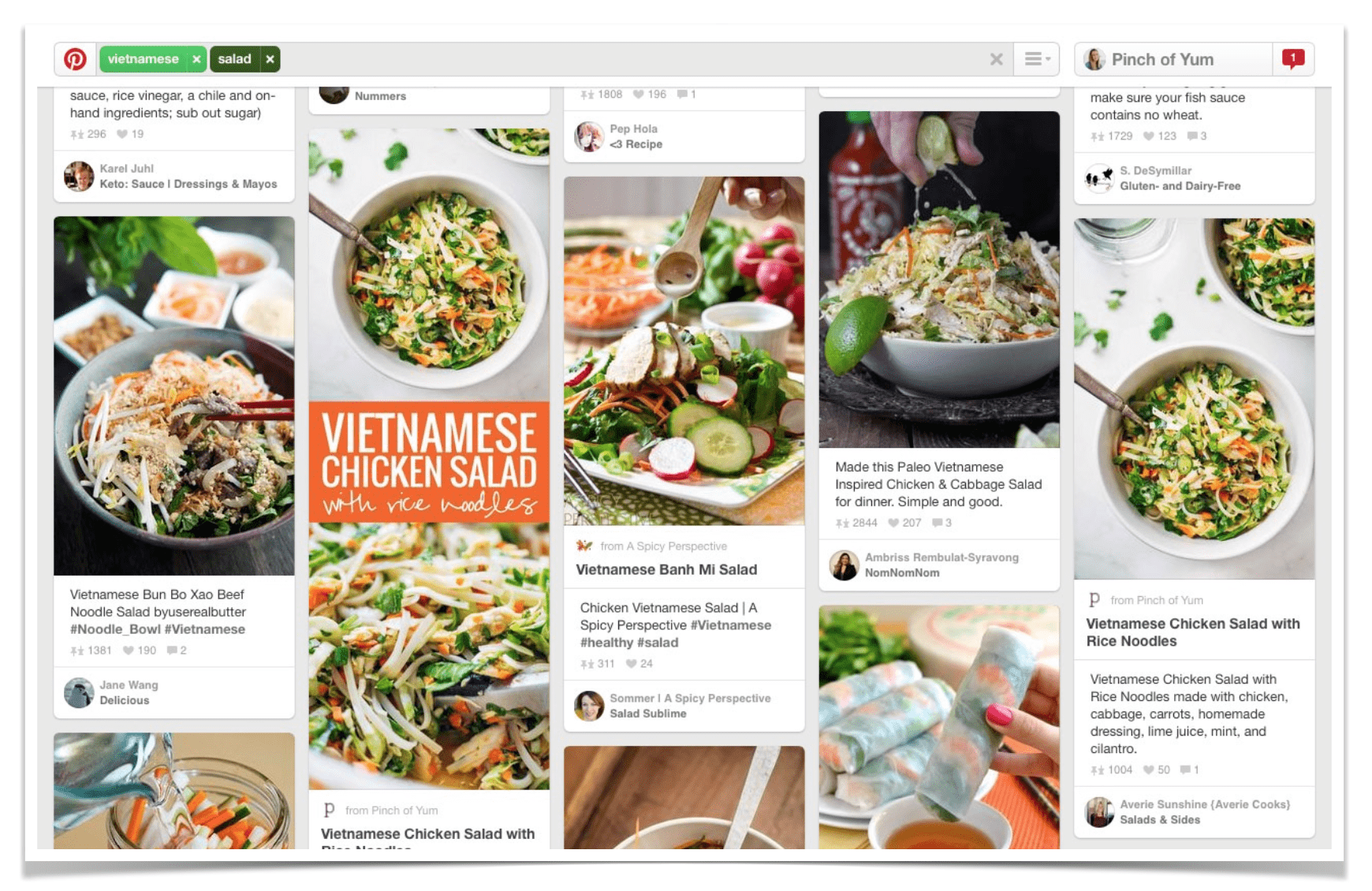
In the competitive landscape of digital content creation, visibility is the currency of growth. For food bloggers, lifestyle influencers, and visual storytellers, Pinterest has long served as a primary engine for driving traffic. Data analysis conducted in early 2015 revealed a significant shift in user behavior: long-format, vertical images consistently outperformed traditional, landscape-oriented imagery. Specifically, studies indicated that elongated Pinterest pins generated approximately 70% more repins than their shorter counterparts.
However, this revelation presented a classic design dilemma: how to balance the necessity of high-performing, vertical SEO-optimized graphics with the aesthetic integrity of a clean, well-curated blog post. This guide explores the technical evolution of image management in WordPress, the strategic importance of vertical content, and the transition from manual coding to automated efficiency.

The Strategic Importance of Vertical Imagery
The "long pin" phenomenon is rooted in the architecture of the Pinterest feed. Because the platform utilizes a grid layout that favors vertical space, taller images occupy more "real estate" on a user’s screen. This increased visual dominance makes these images more difficult to ignore while scrolling, leading to higher engagement metrics.
From a branding perspective, these images often serve as secondary landing pages. By incorporating bold text, descriptive overlays, and high-quality photography, creators turn a simple image into a call-to-action that provides context before a user even clicks through to the website. Despite shifts in Pinterest’s algorithm over the years, the fundamental principle—that verticality translates to visibility—remains a pillar of visual social media strategy.
Chronology of the "Hidden Image" Technique
For early adopters of content marketing, the challenge was clear: how to include a 1,000-pixel-tall image without disrupting the flow of a recipe or article.
The Era of Manual Implementation
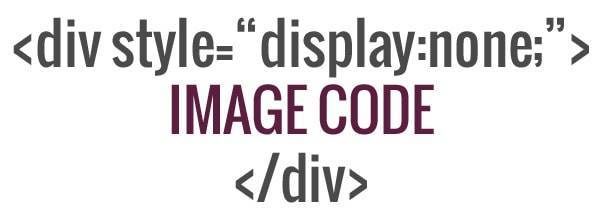
In the mid-2010s, bloggers turned to manual HTML and CSS manipulation. The process involved uploading an image to the WordPress media library and inserting it into the post using an HTML block. By applying specific CSS styling—most notably display: none;—creators could keep the image active for the Pinterest browser extension to "see" while rendering it invisible to the human visitor reading the post.
This era was defined by a culture of knowledge-sharing. Creators, eager to maintain professional-looking blogs without sacrificing traffic, began publishing tutorials on how to inject custom code into their WordPress themes. It was a time of "tinkering," where a basic understanding of web development was considered a superpower for the average blogger.
The Shift to Automation
As the blogging industry professionalized, the demand for "set-it-and-forget-it" solutions grew. Manually editing code for every single post proved to be time-consuming and prone to error—a single broken tag could potentially break the layout of an entire page. Consequently, the industry shifted toward purpose-built plugins. Today, tools like "Tasty Pins" have replaced manual code, allowing users to designate specific images for Pinterest without the need for CSS workarounds.
Supporting Data and User Behavior
The motivation for hiding images is primarily psychological and aesthetic. When a reader arrives at a blog post, they are looking for a specific user experience (UX). If a user is reading a recipe for a cake, they want to see high-quality, atmospheric photos of the final product.
An oversized, text-heavy vertical pin—while excellent for social media—can feel jarring when placed in the middle of a narrative. It breaks the visual rhythm of the page. Data suggests that maintaining a consistent visual "flow" is crucial for decreasing bounce rates. By hiding the vertical image, publishers successfully satisfy two distinct masters: the Pinterest algorithm, which requires verticality, and the blog reader, who requires a seamless, professional reading experience.
The Technical Workflow: From Photoshop to WordPress
To effectively leverage this strategy, creators must first master the art of the vertical graphic.
Designing for Engagement
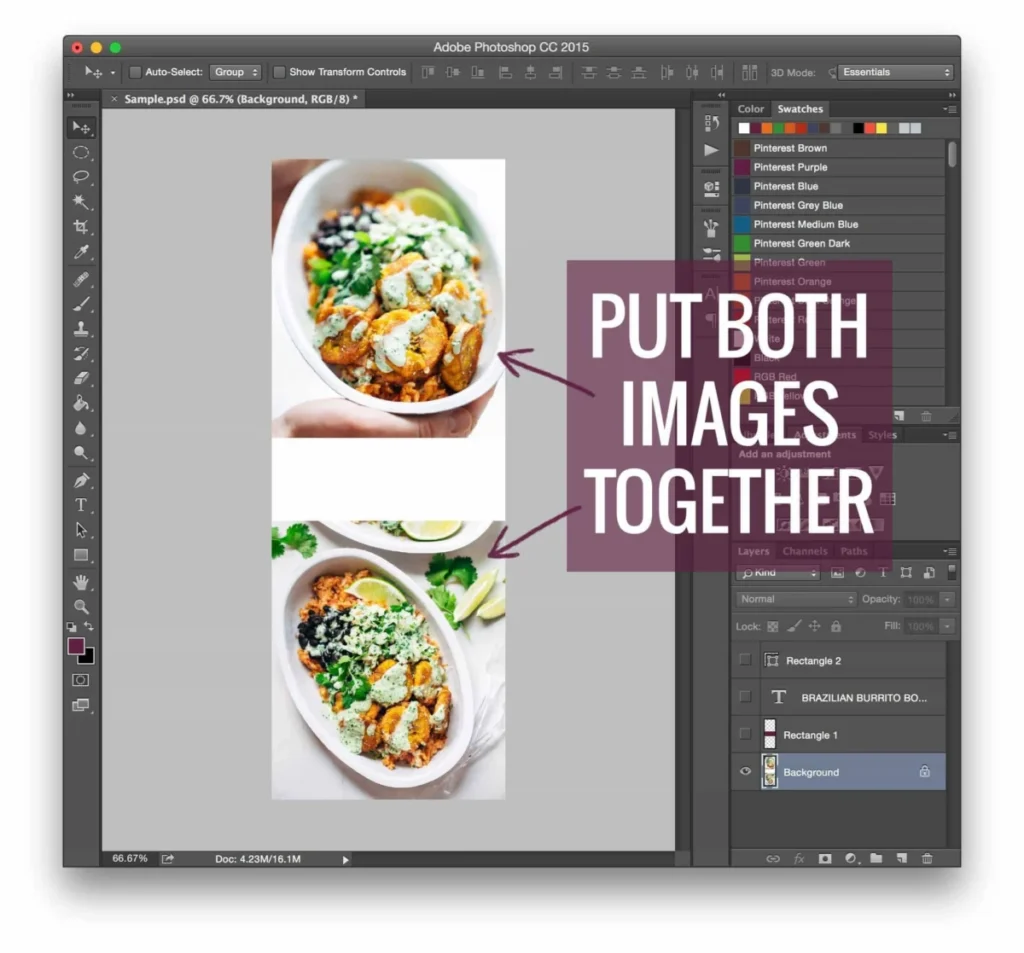
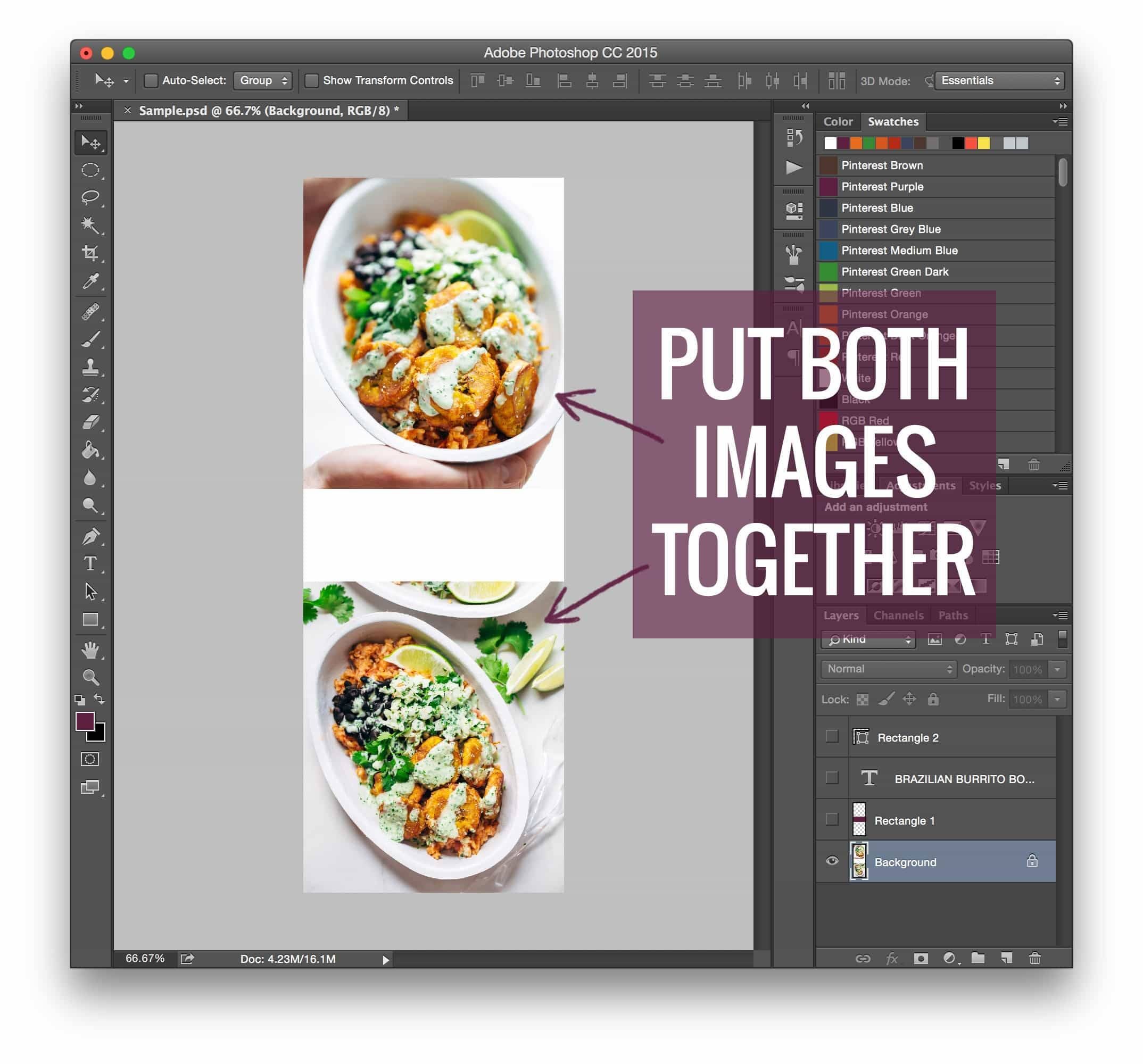
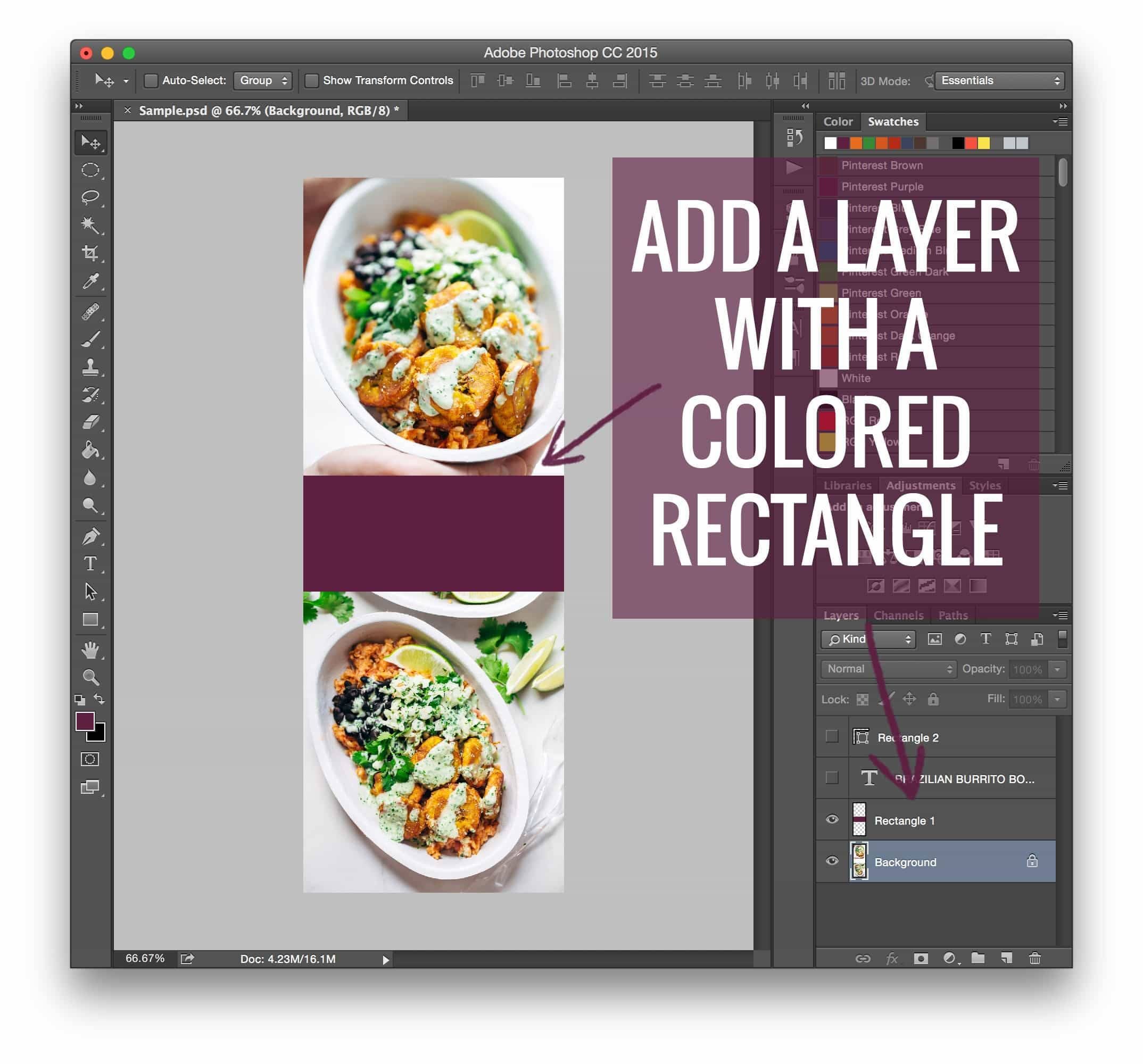
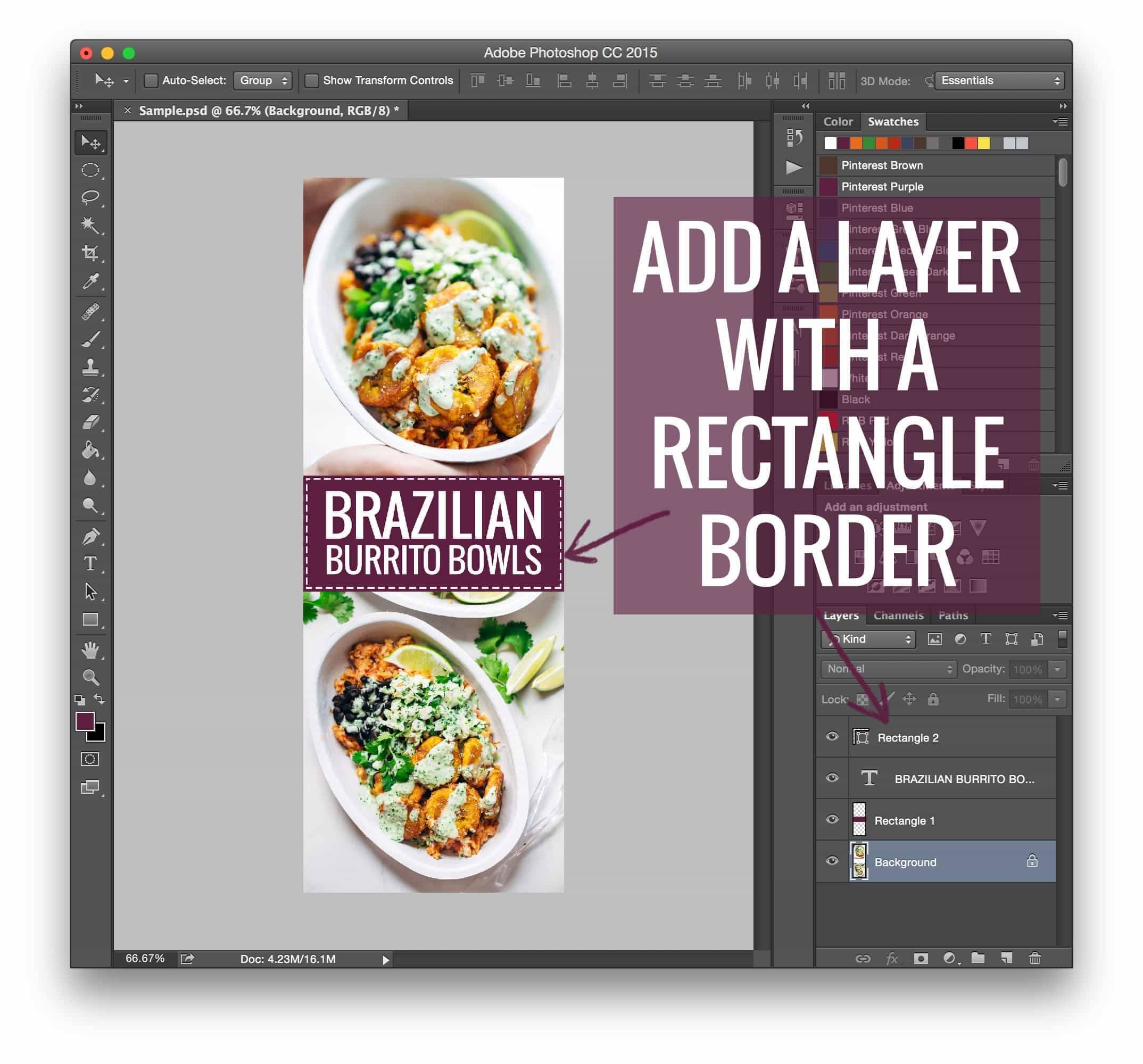
While tools like Canva or PicMonkey offer accessible templates, many professional creators prefer Adobe Photoshop for its granular control over text placement, layer blending, and color grading. A successful pin typically includes:
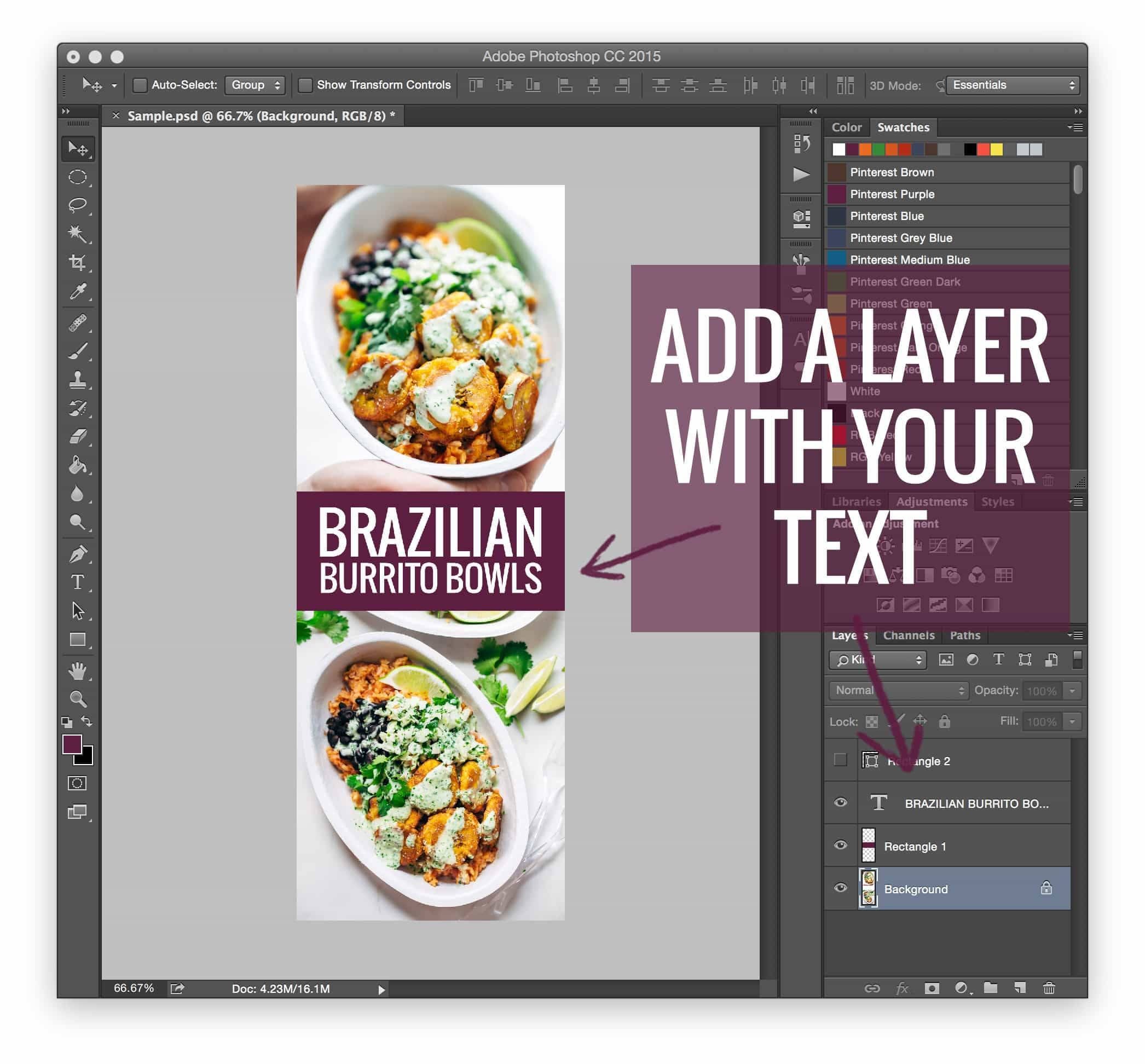
- High-resolution imagery: The hero shot of the content.
- Typography: Clear, legible fonts that communicate the value proposition of the post (e.g., "The Best Chocolate Chip Cookies").
- Branding: Consistent use of colors and logos to ensure brand recognition across the Pinterest feed.
The Implementation Process
Whether using the legacy code method or modern plugins, the objective remains the same. When a user clicks the "Pin It" button on a browser extension, the code scans the page for designated image metadata. If an image is tagged as a "Pinterest image," the plugin presents that file as the primary option for the user to share, even if the image is invisible on the actual website.
Implications for Future Content Strategy
The shift from manual technical workarounds to automated plugins represents a broader trend in the digital creator economy: the move toward platform-agnostic workflows. Creators are increasingly looking for ways to maximize their reach across multiple social channels without compromising the quality of their primary platform.
Monetization and Professionalism
As blogging evolves into a legitimate business model, the technical barrier to entry has lowered, but the standard for professionalism has risen. Free resources, such as guides on monetizing food blogs, emphasize that traffic is only the first step. Once the traffic is secured through optimized pinning strategies, the focus must shift to conversion. Whether through affiliate marketing, ad networks, or product sales, the "hidden image" technique is merely a mechanism to ensure that the content reaches the widest possible audience, thereby creating more opportunities for monetization.
The "Rising Tide" Philosophy
The collaborative nature of the blogging community, often described as "a rising tide that lifts all ships," has been instrumental in this development. By openly sharing the code and techniques for image optimization, early pioneers in the space empowered a new generation of creators to compete with larger media outlets.
Conclusion: Adapting to the Landscape
The digital landscape is inherently fluid. While the techniques for hiding images in WordPress have shifted from raw code to seamless plugins, the underlying strategy remains constant: optimize for the platform, but design for the reader.
For those looking to grow their digital footprint, the advice remains clear:
- Prioritize vertical content for Pinterest.
- Maintain aesthetic continuity by using hidden image plugins.
- Focus on high-quality design that speaks to your specific brand identity.
- Stay curious. Just as the transition from manual CSS to plugins occurred, new tools and algorithms will continue to emerge.
By embracing these technical shifts, creators can ensure their content remains both visible to the masses and delightful to the individual reader, striking the perfect balance between search engine optimization and user experience.